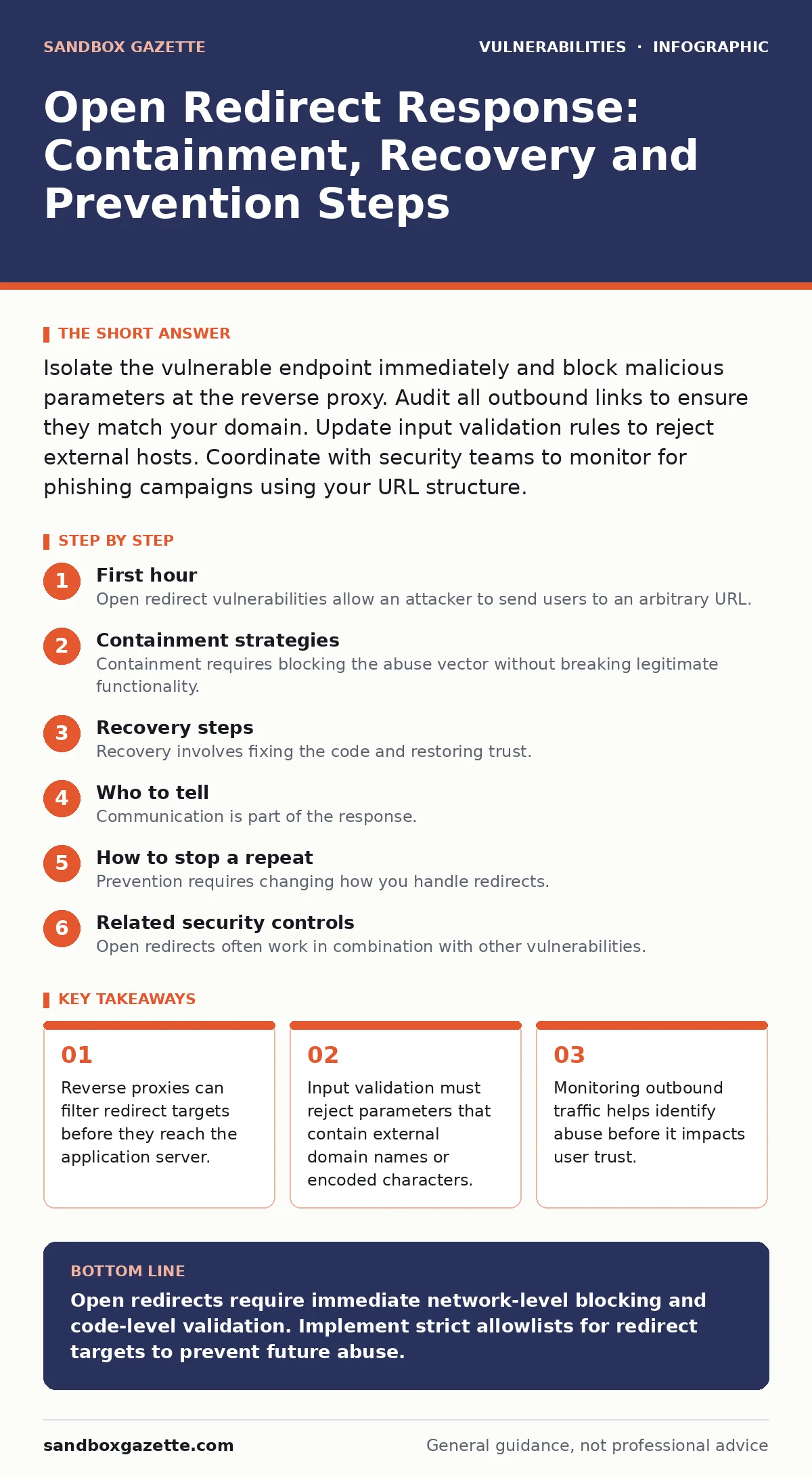
Isolate the vulnerable endpoint immediately and block malicious parameters at the reverse proxy. Audit all outbound links to ensure they match your domain. Update input validation rules to reject external hosts. Coordinate with security teams to monitor for phishing campaigns using your URL structure.
First hour
Open redirect vulnerabilities allow an attacker to send users to an arbitrary URL. You must act quickly to prevent abuse. The immediate goal is to stop the flow of traffic to malicious destinations.
- Identify the affected endpoints.
- Enable strict logging on the vulnerable parameters.
- Block known malicious redirect targets at the network level.
- Notify the development team to pause deployments.
You need to isolate the problem. Check your web server logs for requests containing redirect parameters. Look for values that point to domains you do not own. These requests indicate active exploitation. Record the source IP addresses and user agents. This data helps you understand the scale of the attack.
Do not rely on application-level fixes alone during this phase. The application code may be complex and slow to change. Network devices respond faster. Configure your reverse proxy or web application firewall to drop requests that match the pattern of the attack. This buys time for a proper code fix.
Containment strategies
Containment requires blocking the abuse vector without breaking legitimate functionality. You must distinguish between safe redirects and malicious ones. Most applications use redirects for authentication flows or marketing campaigns. Blocking all external redirects breaks these features.
Implement a allowlist for redirect targets. Identify every domain your application legitimately redirects to. Configure your security controls to permit only these domains. Any redirect attempt to an unknown domain gets blocked. This approach is more secure than a blocklist, which attackers can easily bypass by using new domains.
You should also validate the input format. Open redirect attacks often use encoded characters to confuse filters. Check for sequences that represent slashes, colons or question marks. Reject any parameter that contains these encoded sequences. This stops many evasion techniques before they reach the application logic.
Consider the scope of the vulnerability. Is it limited to one page or present across the entire site? If the code pattern is reused, the vulnerability is likely widespread. Scan your codebase for similar redirect functions. Treat each instance as a potential risk until verified.
Recovery steps
Recovery involves fixing the code and restoring trust. You must replace the vulnerable redirect logic with a secure alternative. The standard fix is to validate the target URL against a whitelist of allowed domains. This ensures users only land on pages you control or explicitly trust.
Input validation is the primary defense. You must check the redirect parameter before processing it. If the parameter contains a full URL, parse it and verify the host. Reject any host that does not match your allowed list. If the parameter is a relative path, ensure it does not contain escape sequences like ../ or //, which can break out of the intended path.
After deploying the fix, test it thoroughly. Try to redirect to external sites using various encoding techniques. Verify that the application rejects these attempts. Also test legitimate redirects to ensure you did not break normal functionality. Regression testing is critical here.
Who to tell
Communication is part of the response. You must inform the right people to coordinate the fix. Start with the engineering team responsible for the vulnerable component. Provide them with the specific endpoints and examples of the abuse. This helps them understand the impact and prioritize the fix.
Inform your security operations team. They need to monitor for any ongoing exploitation attempts. Share the indicators of compromise you collected in the first hour. This helps them update their detection rules. It also ensures they can spot related attacks in the future.
If the vulnerability was reported by an external researcher, follow your coordinated vulnerability disclosure process. Acknowledge receipt of the report. Provide regular updates on your progress. Transparency builds trust with the security community. It also encourages responsible disclosure in the future.
How to stop a repeat
Prevention requires changing how you handle redirects. You should move away from dynamic redirect parameters where possible. Hardcode redirect targets in the application configuration. This eliminates the user input vector entirely. If dynamic redirects are necessary, limit them to a strict allowlist.
Review your patch management processes. Ensure that security patches for frameworks and libraries are applied promptly. Many open redirect vulnerabilities stem from outdated components. Keeping dependencies updated reduces your exposure to known issues.
Integrate input validation checks into your development pipeline. Use static analysis tools to detect unsafe redirect patterns. This catches issues before they reach production. It also trains developers to write secure code from the start.
Related security controls
Open redirects often work in combination with other vulnerabilities. You should review your HTTP security headers. Headers like Strict-Transport-Security prevent downgrade attacks. They ensure users always use encrypted connections. This limits the ability of attackers to intercept and modify redirect parameters.
Consider the risk of web cache poisoning. If your application caches pages based on redirect parameters, an attacker could poison the cache. This serves malicious redirects to many users. Ensure your caching strategy ignores suspicious parameters. This prevents widespread abuse through a single exploit.
Check your dependency management practices. Dependency confusion attacks can introduce malicious code that exploits open redirects. Verify that all third-party libraries come from trusted sources. Use private repositories for internal libraries to prevent confusion.
Long-term monitoring
Even after fixing the vulnerability, you must monitor for recurrence. Set up alerts for unusual redirect patterns. Look for spikes in traffic to external domains from your application. This indicates a new exploitation attempt.
Regularly audit your redirect logic. Code changes can reintroduce vulnerabilities. Ensure that new features follow secure redirect practices. Conduct periodic security reviews focused on input handling. This maintains a strong security posture over time.
Key takeaways
- Reverse proxies can filter redirect targets before they reach the application server.
- Input validation must reject parameters that contain external domain names or encoded characters.
- Monitoring outbound traffic helps identify abuse before it impacts user trust.
Open redirects require immediate network-level blocking and code-level validation. Implement strict allowlists for redirect targets to prevent future abuse.
Frequently asked questions
Does HTTPS fix open redirect vulnerabilities?
No. HTTPS encrypts the connection but does not validate the redirect target. Attackers can still send users to malicious sites over HTTPS.
Can a web application firewall stop open redirects?
Yes, if configured correctly. WAFs can filter malicious parameters. However, they are not a substitute for proper input validation in the code.
How do I detect an open redirect attack?
Monitor logs for redirect parameters pointing to external domains. Look for unusual encoding patterns in these parameters.
Is an open redirect a high-severity vulnerability?
It depends on the context. Alone, it is low risk. Combined with credential harvesting or SSRF, it becomes high risk.
How this guide was produced: written by the Sandbox Gazette editorial team with AI assistance, checked against the public references listed below, and reviewed when the facts change. See our editorial policy or report an error.