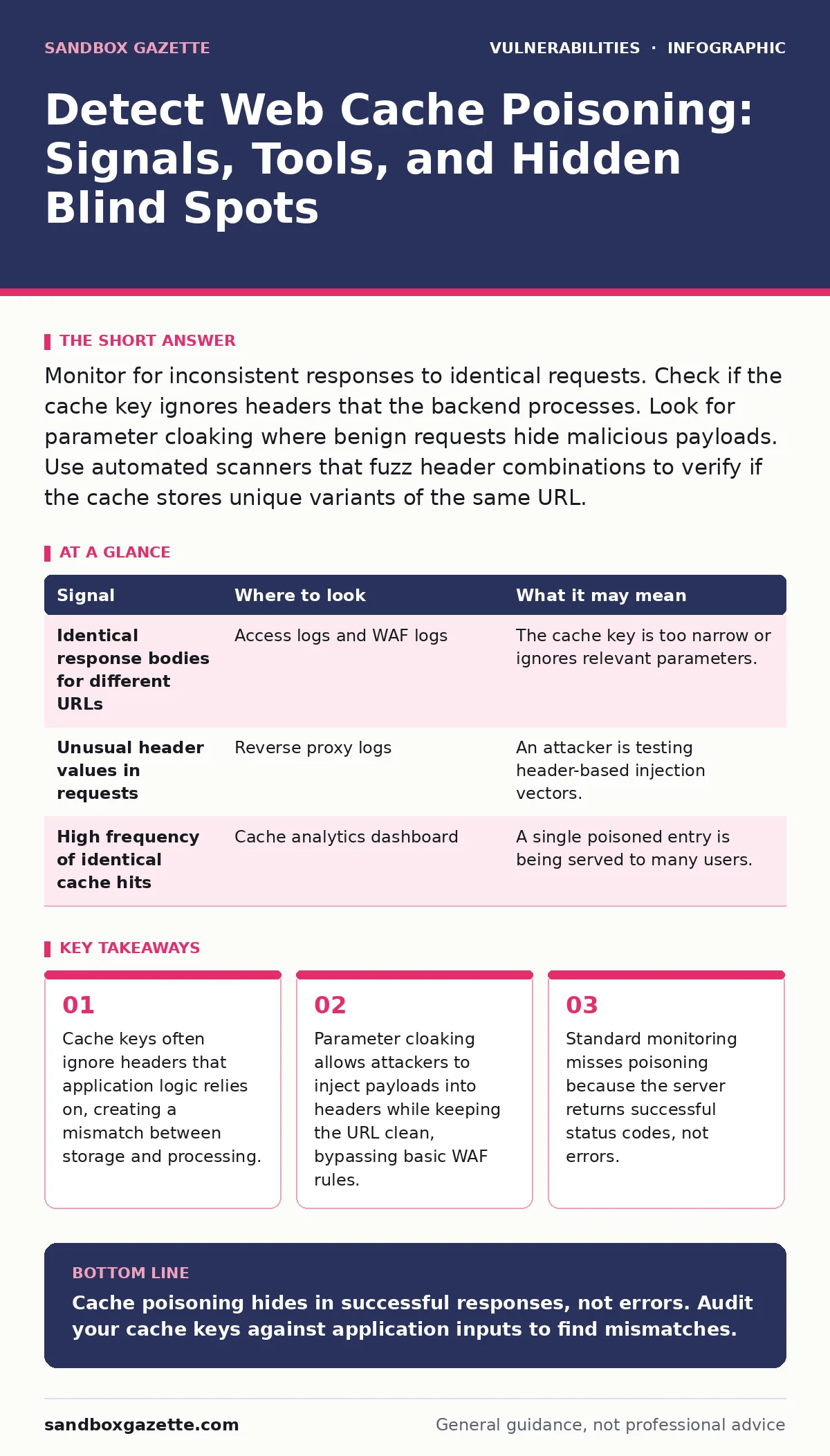
Monitor for inconsistent responses to identical requests. Check if the cache key ignores headers that the backend processes. Look for parameter cloaking where benign requests hide malicious payloads. Use automated scanners that fuzz header combinations to verify if the cache stores unique variants of the same URL.
The Cache Key Mismatch
Web cache poisoning exploits the difference between how a proxy stores content and how the application processes requests. The proxy uses a cache key to determine if it has already served a request. This key usually consists of the URL path and query parameters. The application, however, may process data from headers, cookies, or the body.
If the application reads a header that is not part of the cache key, the proxy treats two different requests as identical. It serves the first response it cached to all subsequent users. You must identify which inputs the application processes but the cache ignores. This mismatch is the primary vector for injection.
Signals in Access Logs
Access logs are the first line of defense. You need to look for requests that return the same cached content despite having different input parameters. Compare the request ID or timestamp with the response body hash. If multiple distinct requests result in the same cached response, a poisoning event may have occurred.
Look for unusual header values in logs that precede a cached response. Attackers often send a request with a specific header value to poison the cache. Subsequent legitimate requests without that header receive the poisoned content. The logs will show the initial malicious request followed by many standard requests receiving the same output.
| Signal | Where to look | What it may mean |
|---|---|---|
| Identical response bodies for different URLs | Access logs and WAF logs | The cache key is too narrow or ignores relevant parameters. |
| Unusual header values in requests | Reverse proxy logs | An attacker is testing header-based injection vectors. |
| High frequency of identical cache hits | Cache analytics dashboard | A single poisoned entry is being served to many users. |
Behavior in Application Responses
The application behavior changes subtly. Users may see content that does not match their request. For example, a user might see a JavaScript alert or a different page layout than expected. This happens because the cache serves a response generated for a different user or context.
You should verify that the response matches the request parameters. If the application displays data from a different session or user, the cache has likely been poisoned. This inconsistency is a strong indicator that the cache key does not encompass all the variables the application uses to generate the page.
Tools for Detection
Automated tools help identify cache poisoning vulnerabilities. Scanners that fuzz HTTP headers and parameters can test if the cache stores unique responses for different inputs. These tools send thousands of requests with varying header values and check if the response changes.
Static analysis tools can also help. They examine the application code to identify where the application reads headers or other inputs that are not included in the cache key. This allows you to find potential vulnerabilities before they are exploited. Dynamic application security testing tools simulate attacks to verify if the cache behaves as expected.
Common Blind Spots
Many teams miss cache poisoning because they focus on error logs. Cache poisoning often results in successful 200 OK responses. Standard monitoring tools that alert on 4xx or 5xx errors will not detect this. You must monitor for success codes that contain unexpected content.
Another blind spot is ignoring custom headers. Attackers often use non-standard headers to bypass filters. If your cache key only includes standard headers, custom headers can be used to poison the cache. Ensure your cache configuration includes all headers that the application processes.
See also: Dynamic Application Security Testing: How It Works and What It Finds
The Role of Configuration
Cache configuration is critical. The cache key must include all inputs that affect the response. This includes query parameters, headers, and sometimes cookies. If the cache key is too broad, performance suffers. If it is too narrow, poisoning becomes possible.
You must balance performance and security. Including too many variables in the cache key reduces hit rates. Excluding variables that the application uses creates security gaps. Regularly review the cache configuration to ensure it aligns with the application logic. This requires close collaboration between development and operations teams.
Integration with Security Practices
Cache poisoning detection should be part of your broader security strategy. It relates to configuration hardening, as proper cache settings are a form of hardening. It also intersects with HTTP security headers, as headers are often the vector for injection.
You should treat cache configuration as code. Version control your cache settings and review changes as you would application code. This ensures that changes are deliberate and reviewed. It also helps in auditing past configurations to identify when a vulnerability was introduced.
Related to this is the concept of n-day vulnerabilities. Once a cache poisoning vulnerability is known, it can be exploited quickly. Detection and remediation must be fast. Automated scanning helps in identifying these issues before they become public.
For teams managing complex applications, understanding CVE identifiers helps in tracking known cache-related vulnerabilities. While cache poisoning is often a configuration issue, some proxies have specific vulnerabilities with assigned identifiers. Keeping track of these helps in prioritizing fixes.
The process of fixing cache poisoning often involves patch management for the proxy software itself. If the proxy has a bug in how it handles headers, updating the software is necessary. This is distinct from fixing the application configuration. Both may be required to fully mitigate the risk.
Finally, consider coordinated vulnerability disclosure. If you find a cache poisoning vulnerability in a shared proxy service, responsible disclosure helps the wider community. It ensures that the issue is fixed before it is exploited at scale. This collaborative approach strengthens the overall security posture of the web ecosystem.
Key takeaways
- Cache keys often ignore headers that application logic relies on, creating a mismatch between storage and processing.
- Parameter cloaking allows attackers to inject payloads into headers while keeping the URL clean, bypassing basic WAF rules.
- Standard monitoring misses poisoning because the server returns successful status codes, not errors.
Cache poisoning hides in successful responses, not errors. Audit your cache keys against application inputs to find mismatches.
Frequently asked questions
How do I know if my cache key is secure?
Your cache key must include every input that changes the response. If the application reads a header, that header must be in the cache key. If it is not, your key is insecure.
Can a WAF stop cache poisoning?
A WAF can block known malicious payloads, but it cannot fix the underlying cache logic. If the cache key is wrong, the WAF may miss the attack or block legitimate traffic. You need both.
What is parameter cloaking?
Parameter cloaking is hiding malicious input in headers while keeping the URL clean. This bypasses simple URL-based filters and exploits the cache key mismatch. It is a common technique in poisoning attacks.
Should I disable caching to prevent poisoning?
Disabling caching prevents poisoning but destroys performance. It is a trade-off. Instead, fix the cache key configuration to include all relevant inputs. This maintains performance while ensuring security.
How this guide was produced: written by the Sandbox Gazette editorial team with AI assistance, checked against the public references listed below, and reviewed when the facts change. See our editorial policy or report an error.