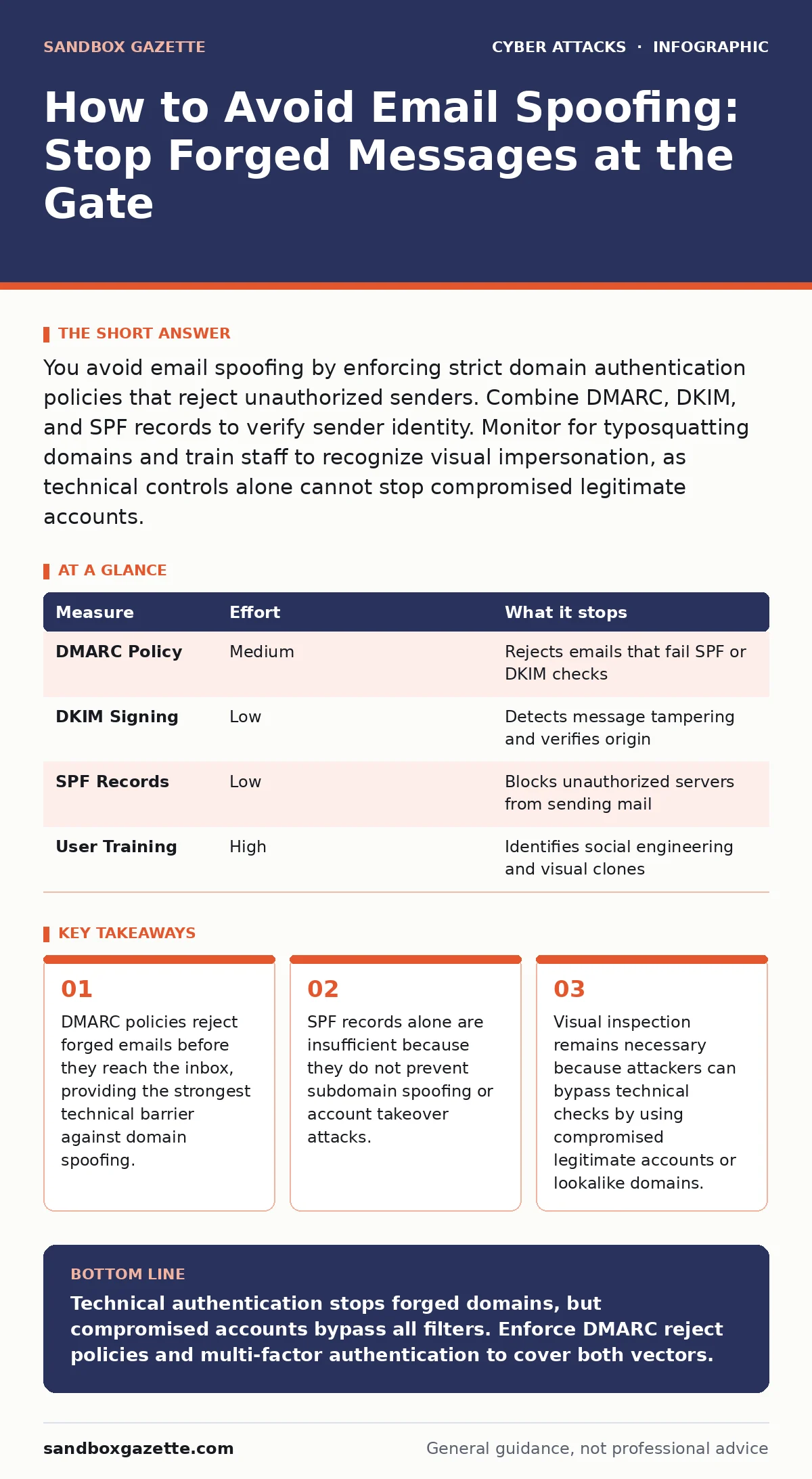
You avoid email spoofing by enforcing strict domain authentication policies that reject unauthorized senders. Combine DMARC, DKIM, and SPF records to verify sender identity. Monitor for typosquatting domains and train staff to recognize visual impersonation, as technical controls alone cannot stop compromised legitimate accounts.
How to Avoid Email Spoofing with Domain Authentication
Email spoofing occurs when an attacker forges the sender address to make a message appear as if it came from a trusted source. You avoid this by implementing domain-based authentication standards that allow receiving servers to verify the legitimacy of the sender. The primary mechanism is DMARC, which stands for Domain-based Message Authentication, Reporting, and Conformance.
DMARC builds upon two other standards: SPF and DKIM. SPF, or Sender Policy Framework, lists the IP addresses authorized to send email for your domain. DKIM, or DomainKeys Identified Mail, adds a cryptographic signature to each message, proving it was not altered in transit. Without these three working together, your domain remains vulnerable to basic forgery.
| Measure | Effort | What it stops |
|---|---|---|
| DMARC Policy | Medium | Rejects emails that fail SPF or DKIM checks |
| DKIM Signing | Low | Detects message tampering and verifies origin |
| SPF Records | Low | Blocks unauthorized servers from sending mail |
| User Training | High | Identifies social engineering and visual clones |
Why SPF Alone Fails to Protect Your Inbox
Many organizations believe that publishing an SPF record is sufficient to stop spoofing. This is a dangerous misconception. SPF only verifies the envelope sender, which is the address used by the mail transfer agent during transmission. It does not verify the "From" address that users see in their email clients.
An attacker can send a message with a valid SPF result for their own domain but display your domain name in the visible header. Furthermore, SPF does not protect subdomains. If you do not use a wildcard SPF record or explicitly include subdomains, an attacker can spoof [email protected] even if your main SPF record is strict. You must implement DMARC to enforce alignment between the envelope sender and the visible sender.
The Hidden Cost of Weak DMARC Policies
DMARC allows you to set a policy for how receivers should handle messages that fail authentication. The options are none, quarantine, or reject. Many organizations start with "none" to monitor traffic without disrupting legitimate mail. This phase is necessary to identify misconfigured third-party services, but staying in "none" mode provides zero protection. It only generates reports. Moving to "quarantine" sends failing messages to the spam folder, which reduces risk but does not eliminate it.
The only policy that truly stops spoofing at the gate is "reject." This tells receiving servers to bounce the message entirely. The trade-off is operational friction. You must ensure all legitimate senders, including marketing platforms and application notifications, are properly authenticated. A strict policy requires ongoing maintenance, but it is the only way to guarantee that no one can impersonate your domain.
Detecting Typosquatting and Visual Impersonation
Technical controls stop direct forgery, but they do not stop attackers from registering domains that look like yours. This practice is called typosquatting. An attacker might register yourcompany-login.com instead of yourcompany.com. These domains have their own SPF and DKIM records, so they pass all authentication checks. The email appears legitimate because it technically is, just not from who you think.
You must monitor for new domain registrations that resemble your brand. This requires external threat intelligence or manual search engine checks. Inside the organization, users must learn to inspect the full sender address, not just the display name. A message from "IT Support" is useless if the address is [email protected]. This visual verification is the last line of defense against sophisticated phishing campaigns.
Preventing Account Takeover as a Spoofing Vector
The most effective way to avoid email spoofing is to ensure that your actual accounts cannot be stolen. If an attacker gains access to a real employee account, they can send emails that pass DMARC, SPF, and DKIM checks perfectly. The message originates from your own servers, signed with your own keys. No technical filter can distinguish this from a legitimate email. You mitigate this risk by enforcing multi-factor authentication for all email accounts.
This adds a second layer of verification, such as a hardware token or push notification, that an attacker cannot replicate with just a password. You should also review login locations and device history regularly. Unusual access patterns often precede an account takeover. Combining strong authentication with email security controls creates a layered defense that addresses both external forgery and internal compromise.
See also: DKIM Email Security: Real Benefits and Hidden Limitations · Secure Email Gateways: 9 FAQs on Architecture and Limits
What Does Not Work Against Modern Spoofing
Relying on user vigilance alone is ineffective. Humans are bad at spotting subtle differences in email addresses, especially under pressure. Security awareness training helps, but it cannot replace technical controls. Similarly, using password managers protects credentials but does not stop an attacker who has already compromised an account or registered a lookalike domain. Filtering based on keywords is also outdated.
Modern phishing emails use natural language and avoid trigger words that spam filters detect. You cannot block spoofing by simply asking users to report suspicious emails. The volume of attacks is too high, and the time between receipt and action is too short. Technical prevention must happen before the email reaches the user. Reactive measures, such as those used by a cyber incident response team, are necessary for recovery but do not prevent the initial breach.
Closing Checklist for Immediate Action
You can reduce your exposure to email spoofing today by auditing your current configuration. Start by checking your DMARC record. If it is missing or set to "none," create a monitoring policy immediately. Next, verify that your DKIM keys are active and rotating. Old keys can be compromised, and stale signatures reduce trust. Finally, test your email flow by sending messages from your domain to external providers and checking the authentication results. This helps you identify misconfigured third-party senders before they cause delivery failures. Consistent monitoring ensures that your authentication policies remain effective as your business grows and new services are added.
- Publish a DMARC record with a "p=none" policy if one does not exist.
- Verify that all third-party senders have valid DKIM signatures.
- Enable multi-factor authentication for all administrative email accounts.
Understanding the Limits of Technical Controls
No single measure provides complete protection against email spoofing. DMARC stops domain forgery, but it does not stop account compromise. Multi-factor authentication stops credential theft, but it does not stop typosquatting. You must combine these controls to create a resilient defense.
The goal is to increase the cost and complexity for attackers, forcing them to use more sophisticated methods that are easier to detect. Regular audits of your email infrastructure and continuous user education are necessary to maintain this balance. As attackers adapt, your defenses must adapt with them. Staying proactive ensures that you remain ahead of emerging threats and maintain the integrity of your communications.
Key takeaways
- DMARC policies reject forged emails before they reach the inbox, providing the strongest technical barrier against domain spoofing.
- SPF records alone are insufficient because they do not prevent subdomain spoofing or account takeover attacks.
- Visual inspection remains necessary because attackers can bypass technical checks by using compromised legitimate accounts or lookalike domains.
Technical authentication stops forged domains, but compromised accounts bypass all filters. Enforce DMARC reject policies and multi-factor authentication to cover both vectors.
Frequently asked questions
Does DMARC protect against all types of email attacks?
DMARC only protects against domain spoofing. It does not prevent account takeover, typosquatting, or social engineering attacks that use legitimate accounts.
How long does it take to implement DMARC?
Publishing a DMARC record is immediate, but moving to a reject policy can take months of monitoring and remediation to ensure no legitimate emails are blocked.
Can I use DMARC if I send email through third-party services?
Yes, but you must configure those services to sign emails with your DKIM key or include their IP addresses in your SPF record to ensure proper alignment.
What is the difference between SPF and DKIM?
SPF verifies the sending server's IP address, while DKIM verifies that the message content has not been altered and confirms the domain identity cryptographically.
How this guide was produced: written by the Sandbox Gazette editorial team with AI assistance, checked against the public references listed below, and reviewed when the facts change. See our editorial policy or report an error.