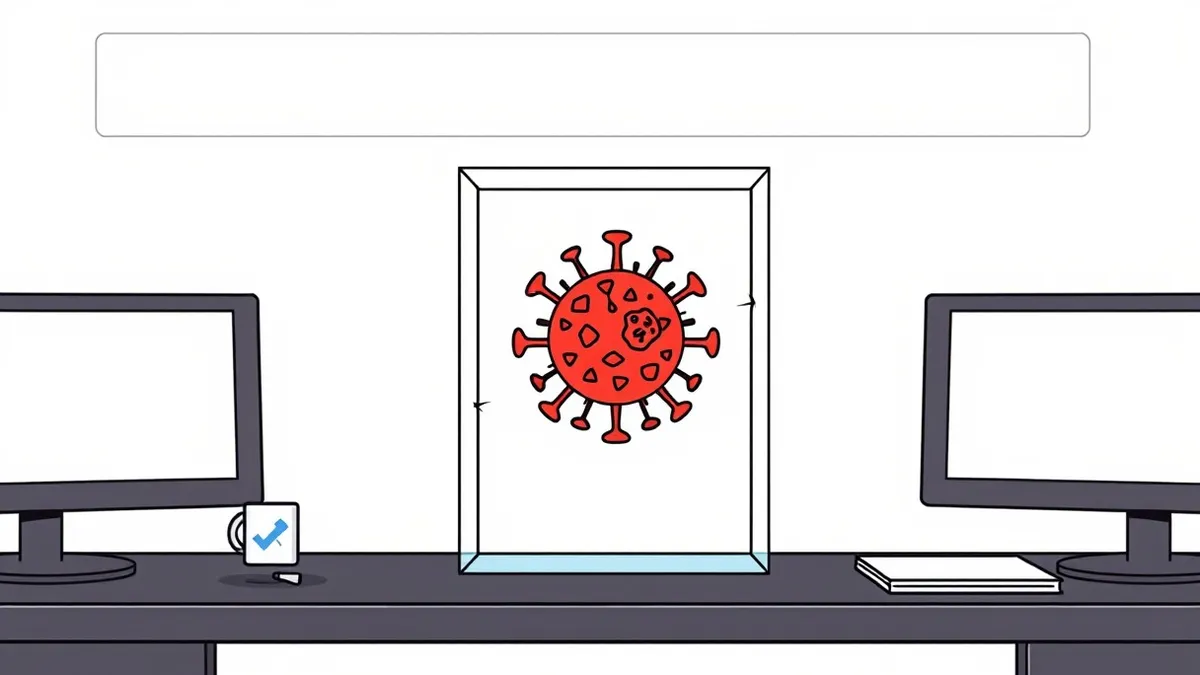
Sandboxing runs suspicious files in an isolated environment to observe behavior without risking the host system. It catches zero-day exploits by monitoring actions rather than signatures. However, it fails against polymorphic malware that detects virtualization and remains dormant. Use it as a detection layer, not a prevention barrier.
How Sandboxing Works in Practice
Sandboxing creates a controlled, isolated environment where untrusted code executes. This environment mimics the host operating system but lacks direct access to critical system resources. When you submit a file for analysis, the sandbox runs it and records every action. It logs file creations, registry modifications, network connections, and process spawns.
The core mechanism relies on behavioral analysis rather than signature matching. Instead of checking if a file matches a known virus database, the system watches what the file does. If a document installer attempts to encrypt files or contact a command-and-control server, the sandbox flags it. This approach allows detection of zero-day threats that have no existing signature.
However, the isolation is imperfect. The sandbox must provide enough system functionality for the malware to run, which creates attack surface. If the malware escapes the container, it can reach the host. This is why sandboxing is a detection tool, not a prevention tool. It tells you what a file is doing, but it does not stop the file from running until you intervene.
The Detection Advantage
The primary benefit of sandboxing is its ability to identify unknown threats. Traditional antivirus software relies on known patterns. If a threat actor creates a new variant, signature-based tools miss it. Sandboxing bypasses this limitation by observing runtime behavior. A file that behaves like ransomware is treated as ransomware, regardless of its code structure.
This method also reduces false positives. Legitimate software often triggers heuristics because it performs aggressive system changes. In a sandbox, you can see the full context of those changes. If a legitimate installer modifies the registry to register components, the sandbox records this as expected behavior. This context helps distinguish between malicious activity and normal software installation.
Furthermore, sandboxing provides forensic data. When a threat is detected, the sandbox generates a report detailing the attack chain. This information helps security teams understand the threat actor's tactics. It aids in developing rules for other security tools. The data collected can also inform threat intelligence feeds, improving detection across the industry.
Evasion Techniques and Blind Spots
Malware authors know sandboxes exist and design code to evade them. The most common technique is virtualization detection. Malware checks for artifacts left by virtual machine software. These artifacts include specific hardware drivers, MAC addresses, or CPU instructions unique to virtual environments. If detected, the malware remains dormant or behaves benignly.
Another evasion method is time-based logic. Sandboxes often have short execution timeouts to save resources. Malware can include sleep commands that exceed this limit. By waiting longer than the sandbox monitors, the malware completes its payload after the analysis ends. This makes the file appear harmless during inspection.
Polymorphism also defeats basic sandboxing. The malware changes its code structure with each execution while maintaining the same functionality. This prevents static analysis from identifying patterns. Even behavioral analysis can struggle if the malware only triggers its malicious payload under specific conditions not present in the sandbox. These limitations mean sandboxing cannot catch every threat.
Resource Costs and Operational Friction
Running a sandbox requires significant computational power. Each analysis instance consumes CPU cycles, memory, and storage. For organizations processing large volumes of files, this cost scales quickly. You must balance the depth of analysis with the speed of operations. Deep inspection takes longer, creating bottlenecks.
Latency is a critical trade-off. If every downloaded file must be sandboxed before opening, users experience delays. This friction can lead to shadow IT practices, where employees bypass security tools to maintain productivity. You must configure sandboxes to prioritize high-risk files. Not every document needs full behavioral analysis.
Maintenance is also complex. Sandboxes must be updated to mimic current operating system environments. As software evolves, the sandbox must evolve with it. Failure to update the sandbox environment leads to inaccurate results. Malware may exploit differences between the sandbox and the real production environment to evade detection.
Weighing Benefits Against Limitations
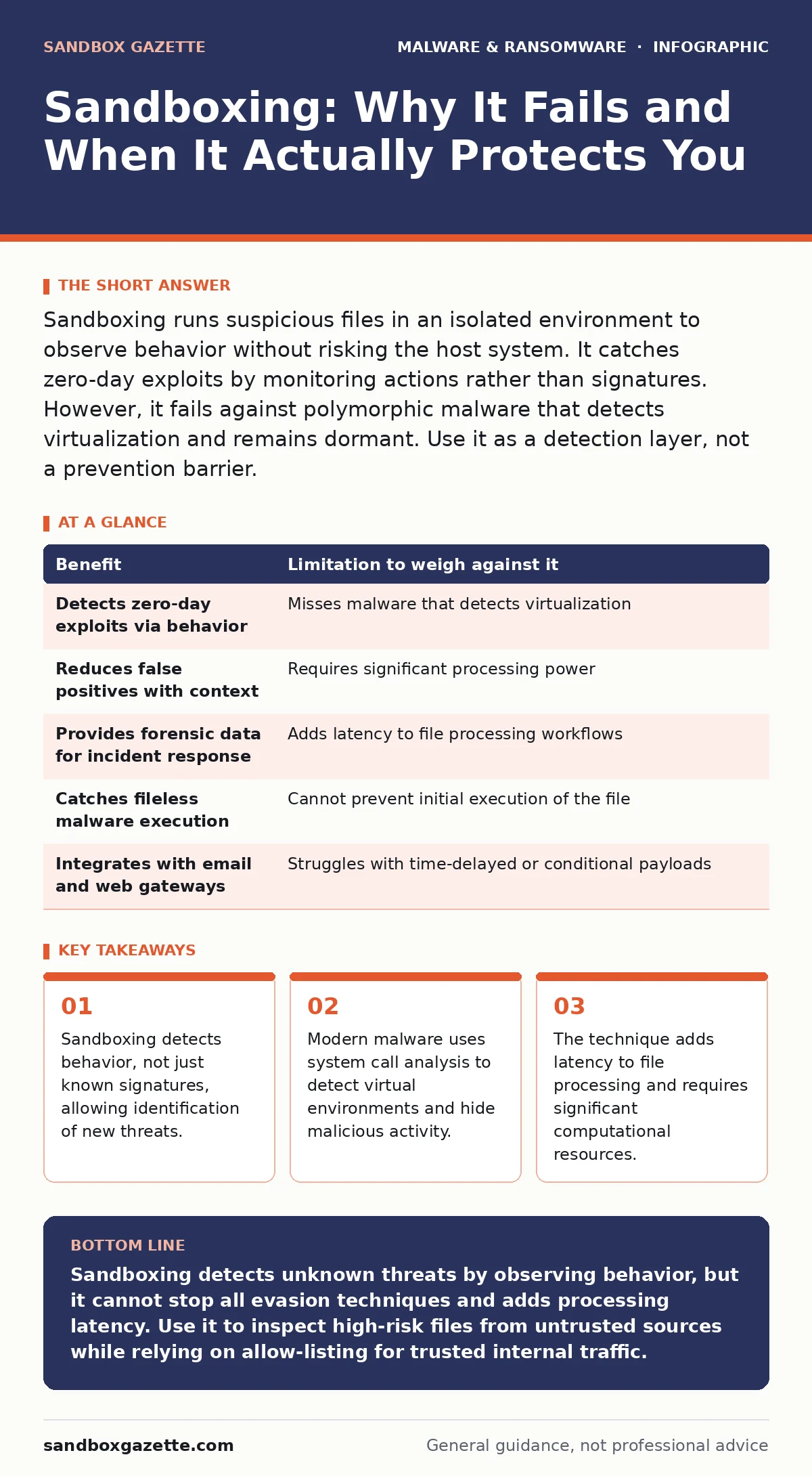
| Benefit | Limitation to weigh against it |
|---|---|
| Detects zero-day exploits via behavior | Misses malware that detects virtualization |
| Reduces false positives with context | Requires significant processing power |
| Provides forensic data for incident response | Adds latency to file processing workflows |
| Catches fileless malware execution | Cannot prevent initial execution of the file |
| Integrates with email and web gateways | Struggles with time-delayed or conditional payloads |
See also: How to use YARA rules to detect hidden malware in files · Endpoint Telemetry FAQs: What Agents Actually See
When It Is Worth It
Sandboxing is valuable when handling untrusted external input. Email attachments from unknown senders are prime candidates. These files bypass initial perimeter defenses and reach the user's desktop. Sandboxing catches threats that slip through antivirus quarantine mechanisms. It provides a second layer of inspection for high-risk content.
It is also useful for analyzing complex documents. Macro-enabled spreadsheets and PDFs often contain embedded scripts that trigger only when opened. Static analysis cannot see these scripts until execution. Sandboxing runs the document in a safe environment, revealing hidden payloads. This is critical for protecting against logic bombs that activate under specific conditions.
Organizations dealing with sensitive data should use sandboxing. The cost of a breach outweighs the resource cost of analysis. By inspecting files before they enter the network, you reduce the attack surface. This is especially true for environments where remote access tool abuse is a concern. Sandboxing can detect malicious RATs that mimic legitimate administration tools.
When It Is Not Worth It
Sandboxing is not suitable for high-throughput, low-risk environments. If you process millions of small, trusted files, the latency is unacceptable. The resource cost outweighs the security benefit. In these cases, rely on strict allow-listing and software restriction policies. These methods prevent execution of unauthorized code without the overhead of dynamic analysis.
It is also ineffective against targeted attacks using custom malware. Advanced persistent threats often tailor their payloads to specific victims. They may use techniques that bypass standard sandbox detection. Relying solely on sandboxing gives a false sense of security. You must combine it with network monitoring and endpoint detection.
Do not use sandboxing as a replacement for user training. If users click on malicious links, no amount of file analysis will help. The threat enters through the browser, not a file. Sandboxing cannot inspect live web traffic in real-time without significant performance impact. Focus on securing the browser and using ransomware incident response plans for containment.
Integrating Into Your Defense Strategy
Sandboxing works best as part of a layered defense. It should feed into your security information and event management system. When a sandbox flags a threat, the system should automatically block similar files. This creates a feedback loop that improves detection over time.
Combine sandboxing with static analysis. Static analysis checks file structure and headers. It is fast and low-cost. Use it to filter out obviously benign or malicious files. Send only suspicious files to the sandbox for deep inspection. This hybrid approach balances speed and accuracy.
Monitor sandbox health regularly. Check for evasion attempts and update detection rules. Ensure the sandbox environment matches your production systems. If the sandbox is outdated, it provides inaccurate results. Regular testing with known malware samples validates the system's effectiveness.
Key takeaways
- Sandboxing detects behavior, not just known signatures, allowing identification of new threats.
- Modern malware uses system call analysis to detect virtual environments and hide malicious activity.
- The technique adds latency to file processing and requires significant computational resources.
Sandboxing detects unknown threats by observing behavior, but it cannot stop all evasion techniques and adds processing latency. Use it to inspect high-risk files from untrusted sources while relying on allow-listing for trusted internal traffic.
Frequently asked questions
Does sandboxing stop ransomware?
Sandboxing detects ransomware behavior but does not prevent it from running. It must be integrated with blocking mechanisms to stop execution.
Can malware escape the sandbox?
Yes, if the sandbox has vulnerabilities or is misconfigured. Escape allows the malware to reach the host system, requiring robust containment strategies.
How do I reduce false positives?
Use contextual analysis and allow-listing for trusted software. Tune detection rules based on legitimate application behavior to avoid blocking normal operations.
Is cloud-based sandboxing secure?
Cloud sandboxing offers scalability but raises data privacy concerns. Ensure the provider uses encryption and complies with data handling standards.
How this guide was produced: written by the Sandbox Gazette editorial team with AI assistance, checked against the public references listed below, and reviewed when the facts change. See our editorial policy or report an error.