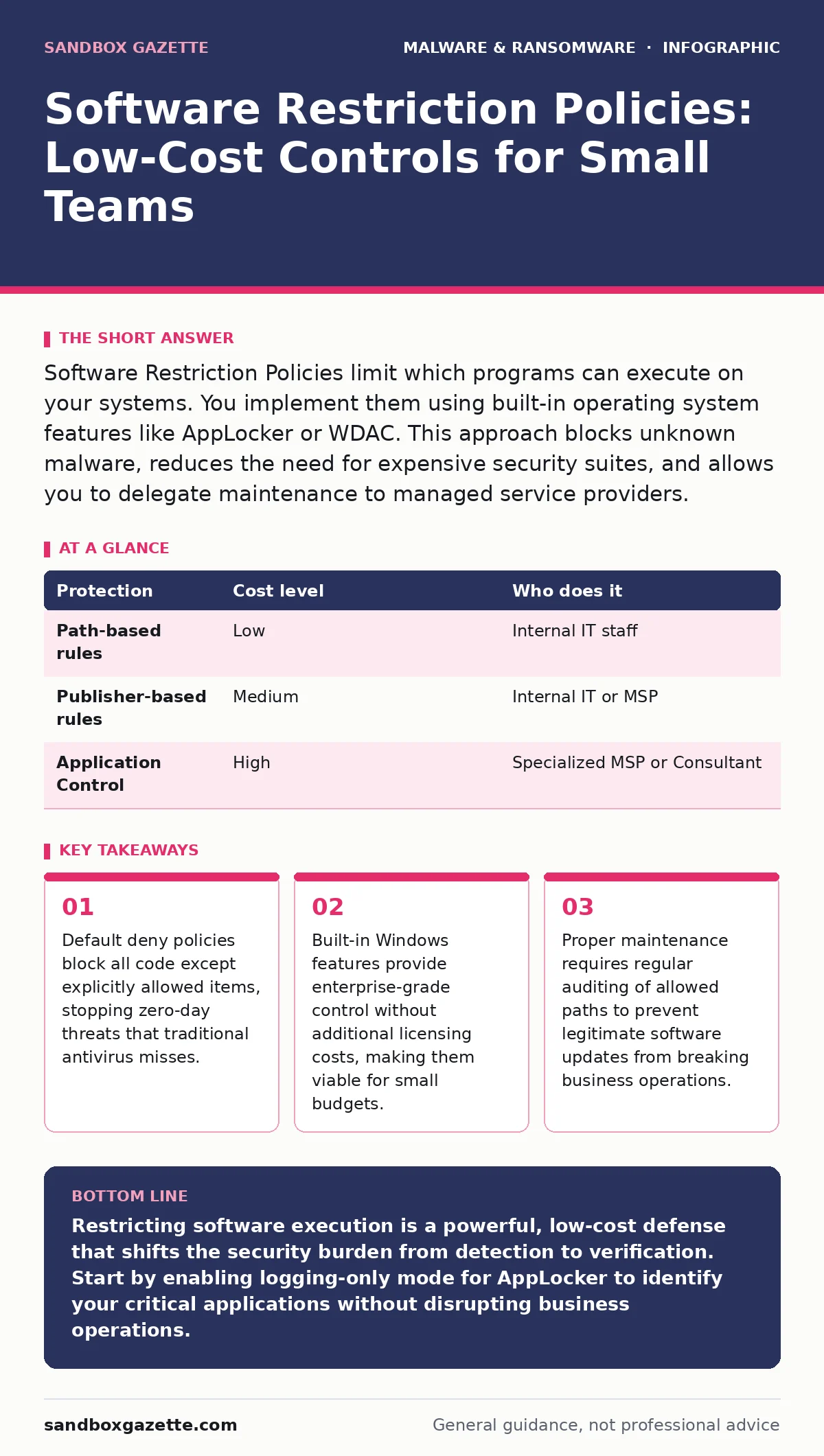
Software Restriction Policies limit which programs can execute on your systems. You implement them using built-in operating system features like AppLocker or WDAC. This approach blocks unknown malware, reduces the need for expensive security suites, and allows you to delegate maintenance to managed service providers.
The Problem with Permit-Everything
Most small organizations operate on a permit-everything model. Any file with an executable extension can run if the user has permission. This approach assumes that only malicious software will be stopped by your antivirus. It ignores the reality that many threats bypass signature detection.
When a new variant of ransomware-as-a-service drops on a system, traditional security tools may not recognize it immediately. If the system allows any code to run, the ransomware executes before the cloud-based detection engine can flag it. By the time the alert arrives, the encryption has likely begun.
Software Restriction Policies invert this logic. You define what is allowed, and everything else is blocked. This is known as a default deny posture. It shifts the burden from detecting bad actors to verifying good ones.
Why Scale Changes the Attack Surface
Small teams often believe they are too small to be targeted by sophisticated attacks. This belief leads to minimal security controls. Attackers know this. They scan for easy targets with weak execution controls.
A small business often lacks a dedicated security operations team. This means manual review of suspicious activity is rare. If an infection occurs, it may go unnoticed for days. During this time, the malware can move laterally through the network.
Restricting software execution reduces the noise. You do not need to monitor every process start. You only need to ensure that allowed processes behave correctly. This simplification is critical when you have limited staff to watch the monitors.
Built-In Controls Save Money
You do not need expensive third-party tools to implement execution controls. Modern operating systems include these features by default. Microsoft Windows offers AppLocker and Windows Defender Application Control. These tools use rules to determine if a file can run.
AppLocker works by allowing or denying files based on path, publisher, or file hash. Path rules are easy to set up but can be bypassed if an attacker writes a malicious file to an allowed folder. Publisher rules are more secure because they verify the digital signature of the software.
Windows Defender Application Control uses a code integrity policy. It is more complex to manage but offers stronger protection. It allows you to create a baseline of trusted applications and block anything else. For a small team, starting with AppLocker is often the most practical step.
| Protection | Cost level | Who does it |
|---|---|---|
| Path-based rules | Low | Internal IT staff |
| Publisher-based rules | Medium | Internal IT or MSP |
| Application Control | High | Specialized MSP or Consultant |
The Hidden Cost of Maintenance
The biggest challenge with restriction policies is maintenance. You must update your allow lists whenever you install new software. If you forget to update the policy, legitimate applications will fail to run. This causes business disruption.
Employees will call IT because their favorite tool no longer works. If the response time is slow, productivity drops. This friction can lead to users seeking workarounds, such as running unauthorized software.
To mitigate this, you should implement a testing phase. Apply the policy to a small group of machines first. Monitor for errors. Gradually expand the scope. This approach helps you identify missing rules before they affect the entire organization.
Delegating Policy Management
If you lack the internal expertise to manage these policies, you can delegate the task. Managed Service Providers often have the tools and experience to handle application control. They can create and maintain the allow lists for you.
When selecting a provider, ask specific questions about their process. Do they use automated tools to scan for new software? How do they handle emergency exceptions? What is their response time for policy updates?
You should also verify that they understand the difference between remote access tool abuse and legitimate remote support. Many providers use remote tools to manage client systems. These tools must be explicitly allowed in your policy, or they will be blocked.
- Does the provider have a documented process for updating allow lists?
- How do they handle false positives where legitimate software is blocked?
- Can they provide reports on blocked execution attempts?
- What is their strategy for managing third-party software installations?
See also: Fileless Malware Explained: How Attacks Hide in Memory · Detect Stalkerware: Logs, Signals and Blind Spots
Integrating with Other Defenses
Software Restriction Policies are not a silver bullet. They work best when combined with other security measures. For example, they can stop trojanized software from executing its malicious payload, even if the user installs it.
They also complement antivirus quarantine procedures. If a file is detected as malicious but not immediately deleted, restriction policies prevent it from running while it sits in quarantine. This adds a layer of defense against delayed detection.
Consider the threat of logic bombs. These are pieces of code that trigger under specific conditions. If the logic bomb is embedded in a trusted application, restriction policies may not stop it. However, if it is a separate executable, the policy will block it. Understanding these limitations helps you set realistic expectations.
Practical Steps for Implementation
Start by identifying your critical applications. These are the programs your business cannot function without. Create allow rules for these applications first. Use publisher rules where possible to increase security.
Next, identify common paths where temporary files are stored. Block execution from these paths. This stops many common malware techniques that rely on dropping files in temporary folders and running them.
Finally, educate your users. Explain why some software may be blocked. Provide a clear process for requesting exceptions. This reduces frustration and encourages compliance.
Key takeaways
- Default deny policies block all code except explicitly allowed items, stopping zero-day threats that traditional antivirus misses.
- Built-in Windows features provide enterprise-grade control without additional licensing costs, making them viable for small budgets.
- Proper maintenance requires regular auditing of allowed paths to prevent legitimate software updates from breaking business operations.
Restricting software execution is a powerful, low-cost defense that shifts the security burden from detection to verification. Start by enabling logging-only mode for AppLocker to identify your critical applications without disrupting business operations.
Frequently asked questions
Will Software Restriction Policies slow down my computers?
No, the performance impact is negligible. The system checks rules in memory, which is a fast process. You may notice a slight delay when launching a new application for the first time, but this is usually imperceptible.
Can users bypass these policies?
Standard users cannot bypass AppLocker or WDAC rules. Administrators can, which is why you should limit administrative privileges. Only grant admin rights to those who absolutely need them.
What happens if I block a critical update?
The update will fail to install. You must add the update or the installer to the allow list. This is why a testing phase is critical. It helps you identify these issues before they affect production systems.
Do I need to restrict mobile devices too?
Mobile operating systems already use application sandboxing. They restrict what apps can do by default. You should still manage mobile devices through a Mobile Device Management solution to enforce security policies.
How this guide was produced: written by the Sandbox Gazette editorial team with AI assistance, checked against the public references listed below, and reviewed when the facts change. See our editorial policy or report an error.