Encrypt email by enforcing TLS for transport and applying S/MIME or PGP for payload protection. Start with internal policy, deploy certificates, configure clients, and verify with test messages. Monitor logs for decryption failures and rotate keys annually to maintain a secure communication channel.
Assessing Current Email Transport Security
You must understand how your mail servers handle traffic before adding encryption layers. Most modern systems use TLS, or Transport Layer Security, which encrypts data while it moves between servers. This protects against network sniffing but does not secure the email once it lands on the recipient's server. A low success rate indicates misconfiguration or external server incompatibility.
Imagine a scenario where an attacker intercepts traffic at an ISP node. TLS prevents them from reading the payload in transit. However, if the destination server stores the email in plain text, the data remains vulnerable. You need to determine if your organization requires end-to-end encryption. This protects the message content regardless of where it is stored or processed. Review your data classification policy to identify which emails require this higher level of protection.
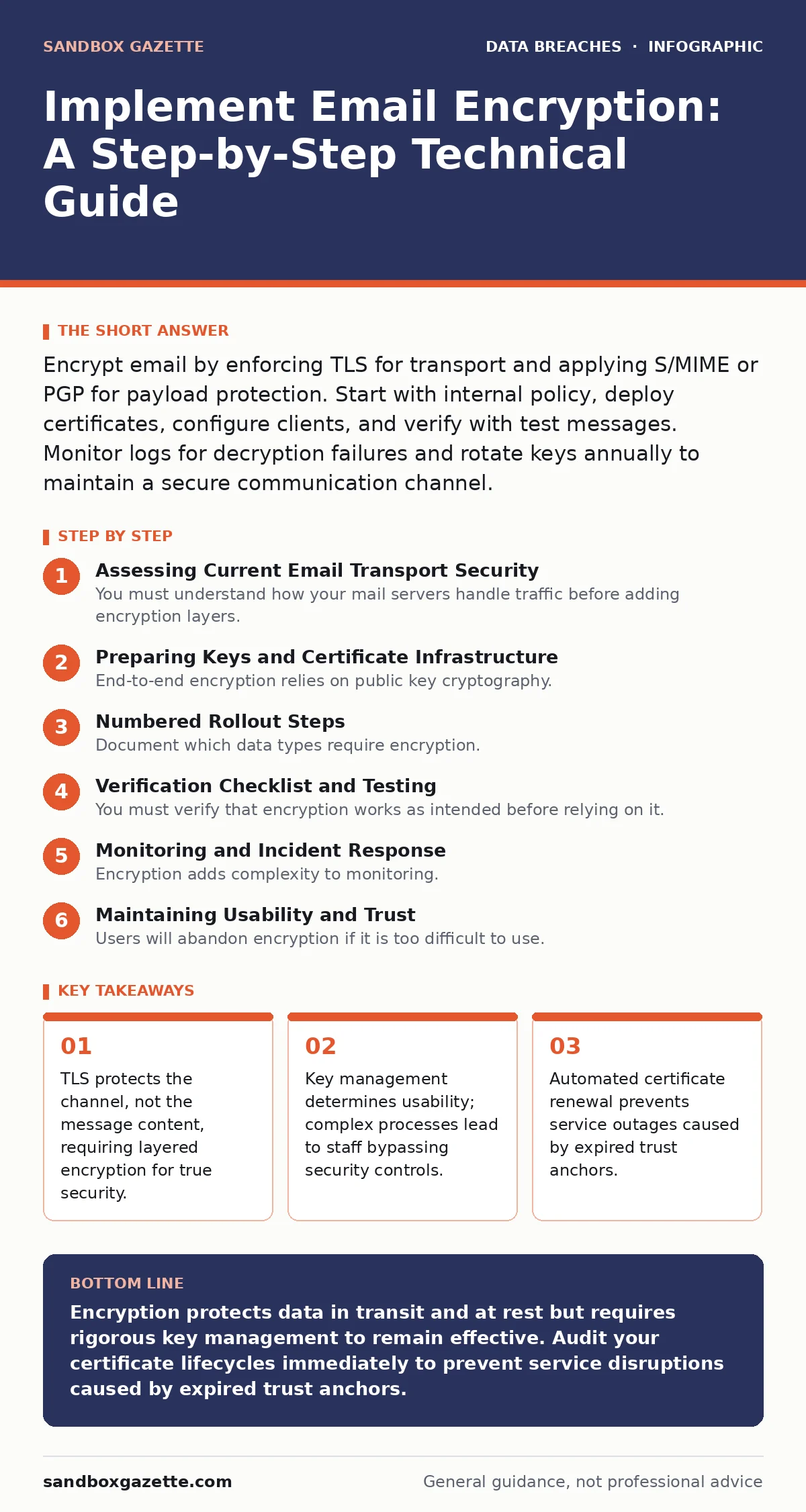
Preparing Keys and Certificate Infrastructure
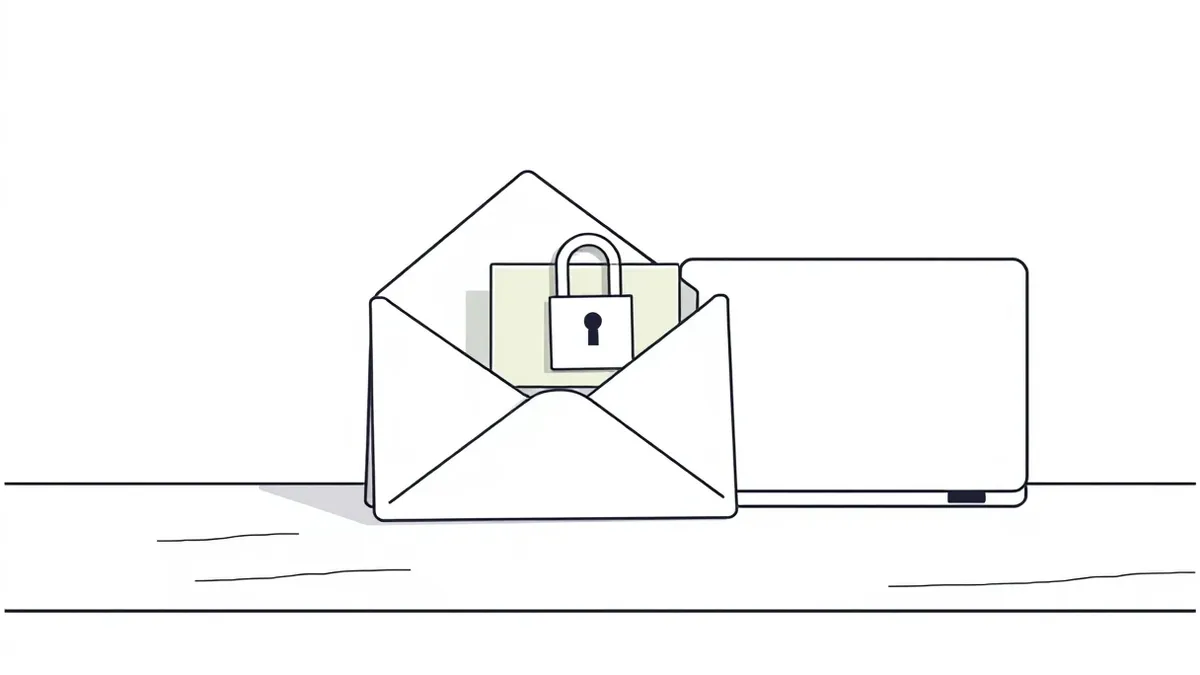
End-to-end encryption relies on public key cryptography. You need a Certificate Authority to issue and manage digital certificates. These certificates bind a public key to an identity, allowing senders to encrypt messages that only the intended recipient can decrypt. Select a method that aligns with your operational capacity. S/MIME integrates with major email clients and uses X.509 certificates. PGP is decentralized but requires manual key exchange and maintenance.
Generate a root certificate or enroll with a trusted provider. Store private keys in a secure hardware security module or a dedicated key management system. Never store private keys on user workstations unless using a secure enclave. Test the certificate chain in a isolated environment. Verify that the chain of trust is complete and that the certificates are not yet expired. A broken chain causes immediate delivery failures and user confusion.
Numbered Rollout Steps
Step 1: Define Encryption Policy and Scope
Document which data types require encryption. Specify the recipients and domains that trigger mandatory encryption. Create a clear exception process for cases where encryption prevents communication. Publish this policy to all staff. Training reduces the friction of adoption. If users do not understand why they must encrypt certain messages, they will seek workarounds.
Step 2: Configure Server-Side TLS Enforcement
Update your mail transfer agents to require TLS for outbound connections to known domains. Use opportunistic TLS for unknown domains to maintain deliverability. Monitor the configuration for immediate errors. Check delivery logs for messages that fail to send due to TLS handshake failures. Adjust the policy to allow fallback to unencrypted transmission only if business continuity demands it, understanding the security trade-off.
Step 3: Deploy Client-Side Encryption Tools
Install S/MIME or PGP plugins in employee email clients. Distribute public keys to internal staff and establish a process for external partners to exchange keys. Integrate with your directory service to automate certificate distribution where possible. This reduces the administrative burden on individual users. Ensure the client software is configured to prompt users to encrypt messages containing sensitive keywords.
Step 4: Enable Automated Key Rotation
Set up a schedule for certificate renewal and key rotation. Expired certificates cause silent failures or outright delivery blocks. Use automated scripts to detect certificates nearing expiration and trigger renewal workflows. Test the renewal process in a staging environment before applying it to production. This prevents a sudden loss of trust that could halt all encrypted communications.
Verification Checklist and Testing
You must verify that encryption works as intended before relying on it. Send test messages to internal and external addresses. Inspect the raw message headers to confirm the presence of encryption tags. Look for S/MIME multipart structures or PGP armor blocks. Verify that the recipient can decrypt the message without errors. Check that the digital signature validates, ensuring the message has not been altered.
- S/MIME certificates are valid and chain to a trusted root.
- Test emails decrypt correctly on multiple client platforms.
- Key rotation scripts execute without manual intervention.
- Failed encryption attempts generate alerts for the security team.
Monitoring and Incident Response
Encryption adds complexity to monitoring. You cannot inspect encrypted traffic for malware or data exfiltration using standard network tools. Deploy endpoint detection and response solutions to monitor for suspicious behavior before and after encryption. Establish a baseline for normal encryption activity. Alert on unusual spikes in encrypted message volume or attempts to encrypt to high-risk domains.
When an incident occurs, you may need to decrypt stored messages for forensic analysis. Ensure your key management system supports secure key escrow or recovery. Without access to private keys, you cannot recover data from encrypted archives. Balance this access with strict auditing to prevent misuse. Regularly review access logs to the key management system for unauthorized attempts.
See also: How to Avoid Email Spoofing: Stop Forged Messages at the Gate · Brand Impersonation in Cyber Security: How Attackers Clone Trust
Maintaining Usability and Trust
Users will abandon encryption if it is too difficult to use. Streamline the key exchange process for external partners. Provide a self-service portal for requesting and revoking certificates. Reduce the number of clicks required to encrypt a message. If encryption is a friction point, staff will find ways to bypass it, such as sending sensitive data via unsecured channels.
Regularly update your threat model to reflect new risks. Review the effectiveness of your encryption controls annually. Incorporate feedback from users to improve the experience. A secure system that nobody uses is a failed system. Ensure that your encryption strategy supports both security requirements and business productivity.
Handling External and Third-Party Risks
External partners often lack the infrastructure for robust encryption. You may need to provide them with public keys or use a secure portal for document exchange. Evaluate the security posture of third-party vendors during your third-party risk assessments. Require them to support TLS and S/MIME for any email communication containing sensitive data.
If a partner cannot support encryption, classify the data as not suitable for email transmission. Use alternative secure transfer methods. Document these exceptions and review them periodically. Relying on weak encryption or no encryption for external communications creates a significant vulnerability in your supply chain.
Integrating with Broader Security Frameworks
Email encryption is one component of a larger security strategy. It complements data minimization efforts by ensuring that only necessary data is transmitted. It supports ISO 27001 requirements for information confidentiality. Align your email encryption policy with your broader identity and access management practices. Reference your user access provisioning procedures when issuing or revoking encryption keys.
Consider the risks of lost and stolen devices. If private keys are stored on mobile devices, ensure that remote wipe capabilities are functional. Address password leaks by enforcing multi-factor authentication for accessing key management systems. Protect against misdirected emails by combining encryption with recipient verification tools. A layered approach reduces the impact of any single control failure.
Key takeaways
- TLS protects the channel, not the message content, requiring layered encryption for true security.
- Key management determines usability; complex processes lead to staff bypassing security controls.
- Automated certificate renewal prevents service outages caused by expired trust anchors.
Encryption protects data in transit and at rest but requires rigorous key management to remain effective. Audit your certificate lifecycles immediately to prevent service disruptions caused by expired trust anchors.
Frequently asked questions
Does TLS encryption protect my emails from being read by the recipient's server admin?
No, TLS only encrypts the data while it travels between servers. Once the email arrives at the destination, it is stored in plain text unless you use end-to-end encryption like S/MIME or PGP.
What happens if I lose my private key?
You will lose access to all messages encrypted with that key. This is why secure key backup and escrow procedures are critical components of your key management strategy.
Can I use encryption for all emails without checking compatibility?
No, forcing encryption on all outbound mail can cause delivery failures to servers that do not support the required protocols or standards. You should whitelist domains and test compatibility first.
How often should I rotate encryption keys?
Rotate keys annually or immediately upon suspicion of compromise. Regular rotation limits the exposure window if a key is stolen and aligns with standard security best practices.
How this guide was produced: written by the Sandbox Gazette editorial team with AI assistance, checked against the public references listed below, and reviewed when the facts change. See our editorial policy or report an error.