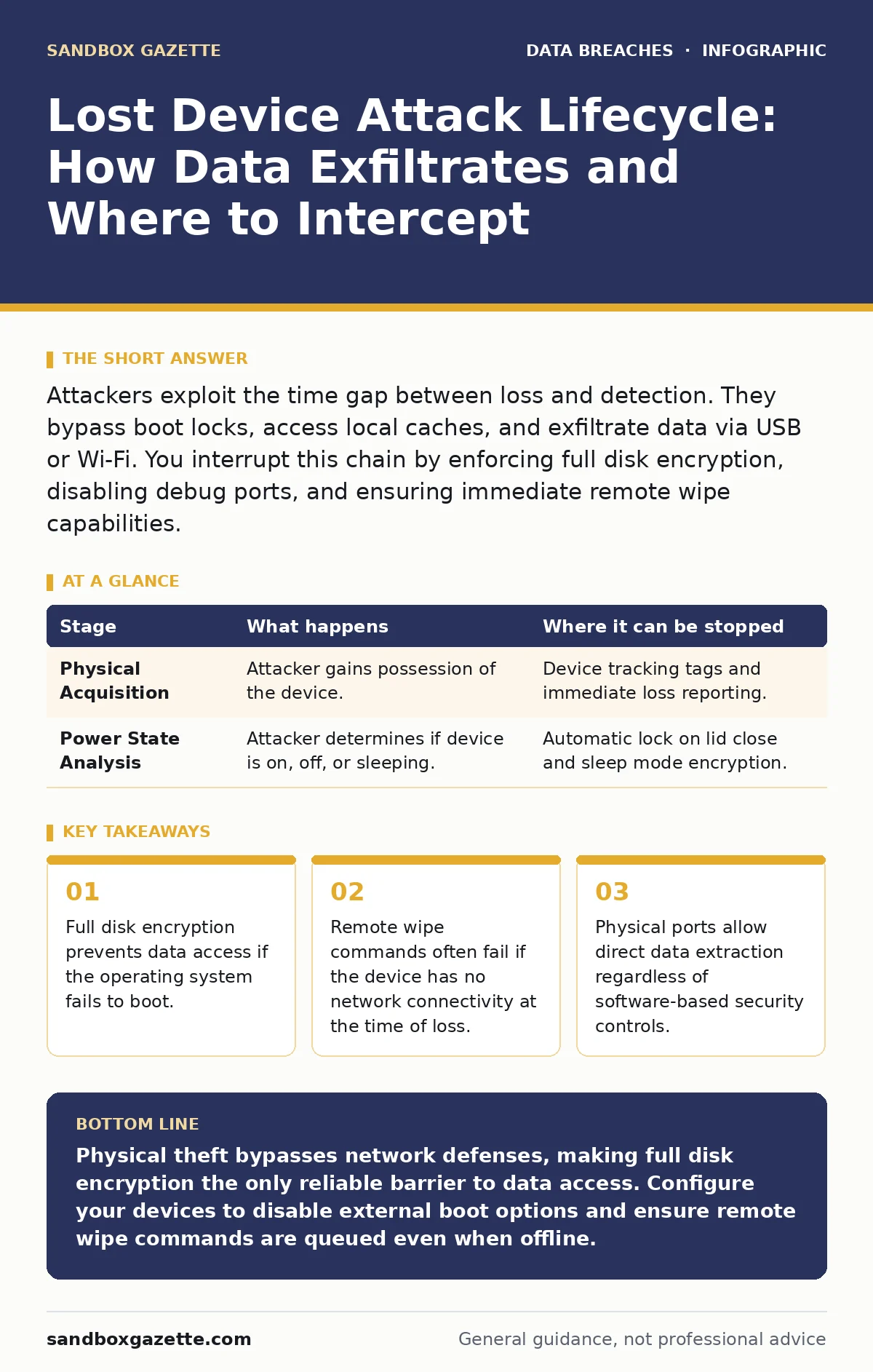
Attackers exploit the time gap between loss and detection. They bypass boot locks, access local caches, and exfiltrate data via USB or Wi-Fi. You interrupt this chain by enforcing full disk encryption, disabling debug ports, and ensuring immediate remote wipe capabilities.
The Physical Acquisition Vector
The lifecycle of a lost device compromise begins with physical separation from the owner. This is not a digital intrusion; it is a theft of hardware. The attacker gains immediate physical access to the device, which grants them privileges that remote attackers rarely possess. They can manipulate hardware switches, connect external monitors, or remove storage drives. This stage relies on the assumption that the user will not notice the loss immediately. The longer the delay, the more time the attacker has to work.
Imagine a laptop left in a taxi. The attacker does not need to hack a firewall. They simply possess the machine. This physical access allows them to bypass many software controls that assume the device is in a trusted environment. The attacker looks for signs of life, such as a powered-on screen or a connected power source. If the device is off, they power it on. If it is locked, they attempt to bypass the lock screen.
Bypassing Initial Authentication Controls
Once in possession of the device, the attacker targets the initial authentication barrier. This is usually a login screen or a PIN entry. If the user has enabled automatic login, the attacker gains immediate access to the desktop. This is a common configuration error that prioritizes convenience over security. The attacker checks for sticky notes with passwords, which is a rare but real occurrence. More commonly, they look for vulnerabilities in the operating system that allow bypassing the login screen.
Some operating systems have known flaws that allow access to certain features without a password. For instance, accessibility tools might allow an attacker to launch a command prompt. If the attacker cannot bypass the login, they may attempt a brute-force attack on the PIN. This is only feasible if the PIN is short and the system does not lock out after failed attempts. The attacker also checks if the device is in a state where it accepts input from external devices.
Stage 1: Physical Access and Power State Analysis
| Stage | What happens | Where it can be stopped |
|---|---|---|
| Physical Acquisition | Attacker gains possession of the device. | Device tracking tags and immediate loss reporting. |
| Power State Analysis | Attacker determines if device is on, off, or sleeping. | Automatic lock on lid close and sleep mode encryption. |
The attacker analyzes the power state to determine the best approach. If the device is sleeping, they may wake it and see if it requires a password. If it is off, they power it on. If it is on, they observe the screen for any clues. This stage is critical because it determines the subsequent steps. If the device is fully encrypted and requires a password to boot, the attacker’s options are severely limited. However, if the device boots to a login screen, the attacker has more opportunities.
Exploiting Local Privilege Escalation
If the attacker cannot log in as the user, they attempt to gain administrative privileges through other means. This often involves booting from an external USB drive. If the BIOS or UEFI settings allow booting from USB, the attacker can load a live operating system. This bypasses the installed operating system entirely. The attacker can then access the internal hard drive directly. If the drive is not encrypted, the attacker can copy all files. If it is encrypted, they may attempt to extract the encryption key from memory.
This stage relies on the device having USB ports enabled and the BIOS not being password-protected. Many users disable BIOS passwords for convenience, assuming they will never need to change hardware settings. This is a significant oversight. The attacker also checks for debug ports or other physical interfaces that might provide low-level access. These interfaces are often used by manufacturers for testing but are left enabled in consumer devices.
Stage 2: Bypassing Boot and Login Authentication
| Stage | What happens | Where it can be stopped |
|---|---|---|
| USB Boot Attempt | Attacker boots from external media to bypass OS. | Disable USB boot in BIOS/UEFI and set BIOS password. |
| Login Bypass | Attacker tries to bypass login screen via accessibility. | Disable accessibility features at login or require PIN. |
The attacker attempts to bypass the boot process. If successful, they gain access to the file system. If the file system is encrypted, they look for ways to decrypt it. This might involve extracting the key from the RAM if the device was in hibernation. Hibernation stores the memory state to disk, which can include encryption keys. This is a known vulnerability in some encryption implementations.
Data Extraction and Exfiltration
Once the attacker has access to the file system, they begin extracting data. They look for sensitive files, such as documents, spreadsheets, and databases. They also look for cached credentials, which are often stored in plain text or weakly encrypted formats. The attacker may use specialized tools to recover deleted files. These tools can reconstruct files from unallocated space on the hard drive. The attacker then exfiltrates the data via USB, Wi-Fi, or Bluetooth.
This stage relies on the attacker having the time and tools to search the device effectively. They prioritize high-value data, such as financial records or intellectual property. The attacker may also install malware to maintain access if the device is recovered. This malware can be difficult to detect because it is installed at a low level. The attacker ensures that the data is copied to an external drive or uploaded to a cloud service.
Stage 3: Local Data Extraction and Credential Harvesting
| Stage | What happens | Where it can be stopped |
|---|---|---|
| File System Access | Attacker accesses unencrypted files and caches. | Full disk encryption and secure deletion of temp files. |
| Credential Harvesting | Attacker extracts saved passwords and tokens. | Use a password manager and avoid saving credentials locally. |
The attacker extracts credentials and sensitive data. They look for browser caches, email clients, and application settings. These sources often contain more data than the user realizes. The attacker also checks for virtual machine images or container files, which may contain additional systems. The goal is to gather as much data as possible before the device is reported lost.
Remote Detection and Response
The final stage involves the organization detecting the loss and responding. This is where the lifecycle can be interrupted. If the device is enrolled in a mobile device management system, the organization can send a remote wipe command. This command deletes all data on the device. However, this only works if the device is connected to the internet. If the device is offline, the command will not execute until it reconnects.
The organization may also disable the device’s access to corporate resources. This prevents the attacker from using stolen credentials to access networks. The organization should also monitor for unusual activity from the device’s IP address or MAC address. This can help locate the device or identify the attacker. The goal is to minimize the impact of the loss and prevent further data exposure.
Stage 4: Remote Wipe and Access Revocation
| Stage | What happens | Where it can be stopped |
|---|---|---|
| Loss Detection | Organization realizes device is missing. | Automated check-ins and heartbeat monitoring. |
| Remote Wipe | Organization sends command to delete data. | Ensure device has constant connectivity for MDM. |
The organization attempts to wipe the device remotely. If successful, the data is destroyed. If not, the organization must assume the data is compromised. The organization should then follow its incident response plan. This includes notifying affected parties and assessing the damage. The process highlights the importance of data minimization and secrets management in reducing the impact of physical theft.
The lifecycle of a lost device compromise is a race against time. The attacker tries to extract data before the organization detects the loss. The organization tries to wipe the data before the attacker can use it. The key to winning this race is to assume the device will be lost and prepare accordingly. This means using encryption, disabling unnecessary ports, and ensuring remote wipe capabilities.
See also: What Is Secrets Management in Cyber Security and Why It Matters · Difference Between Data Minimization and Purpose Limitation Explained
Integrating Broader Security Controls
Physical security is only one layer of defense. It must be integrated with other controls. For example, ISO 27001 provides a framework for managing information security risks, including physical security. Third-party risk assessments can help identify vendors who may handle sensitive data on devices. Email encryption can protect data in transit, but it does not protect data at rest on a lost device.
The goal is to create a defense-in-depth strategy. This means having multiple layers of security that work together. If one layer fails, another layer can stop the attacker. For instance, if the attacker bypasses the login screen, full disk encryption can still protect the data. If the attacker extracts the data, data minimization ensures that the data is not as valuable. This holistic approach is necessary to protect against modern threats.
The threat of lost devices is real and persistent. Attackers are sophisticated and well-resourced. They will exploit any weakness in your security posture. By understanding the lifecycle of a lost device compromise, you can better protect your organization. Focus on encryption, access control, and rapid response. These measures will help you mitigate the risk of data loss and maintain the trust of your customers.
Key takeaways
- Full disk encryption prevents data access if the operating system fails to boot.
- Remote wipe commands often fail if the device has no network connectivity at the time of loss.
- Physical ports allow direct data extraction regardless of software-based security controls.
Physical theft bypasses network defenses, making full disk encryption the only reliable barrier to data access. Configure your devices to disable external boot options and ensure remote wipe commands are queued even when offline.
Frequently asked questions
Does full disk encryption protect against all physical attacks?
Full disk encryption protects data at rest, but it does not prevent an attacker from accessing the device if it is already logged in. It also does not protect against key extraction from memory if the system is hibernating.
How quickly should a remote wipe command be sent?
A remote wipe command should be sent as soon as the loss is detected. However, it only works if the device is connected to the internet. If the device is offline, the command will execute when it reconnects.
Can an attacker bypass BIOS passwords?
Some BIOS passwords can be bypassed by removing the CMOS battery or using specialized hardware tools. This is why disabling USB boot and other physical ports is critical.
What is the role of mobile device management in this scenario?
Mobile device management allows you to enforce security policies, track devices, and send remote wipe commands. It is essential for managing the lifecycle of corporate devices.
How this guide was produced: written by the Sandbox Gazette editorial team with AI assistance, checked against the public references listed below, and reviewed when the facts change. See our editorial policy or report an error.