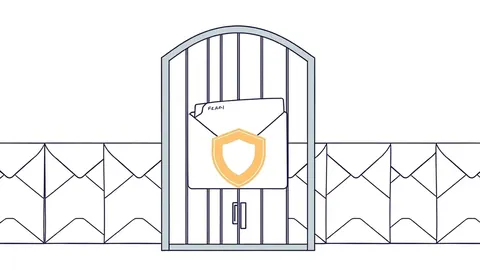
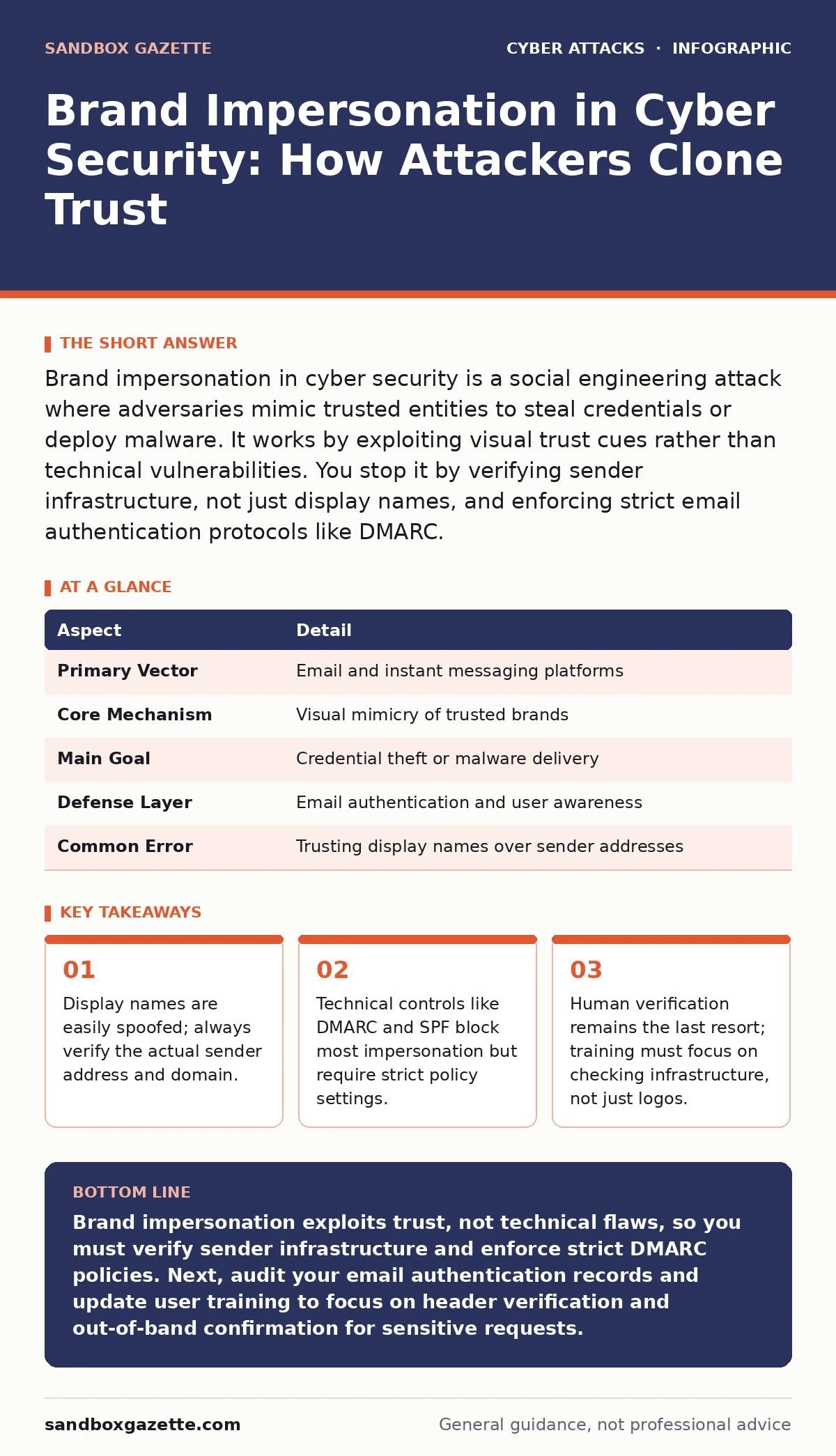
Brand impersonation in cyber security is a social engineering attack where adversaries mimic trusted entities to steal credentials or deploy malware. It works by exploiting visual trust cues rather than technical vulnerabilities. You stop it by verifying sender infrastructure, not just display names, and enforcing strict email authentication protocols like DMARC.
The Illusion of Trust
Imagine receiving a package from a courier you use daily. The box looks identical to previous deliveries. The barcode matches. The driver wears the correct uniform. You sign without checking the vehicle registration. Brand impersonation in cyber security operates on this same psychological shortcut. Attackers do not break into your system through a firewall hole. They trick you into handing them the keys by looking like someone you already trust.
| Aspect | Detail |
|---|---|
| Primary Vector | Email and instant messaging platforms |
| Core Mechanism | Visual mimicry of trusted brands |
| Main Goal | Credential theft or malware delivery |
| Defense Layer | Email authentication and user awareness |
| Common Error | Trusting display names over sender addresses |
How Brand Impersonation Works
Attackers replicate the visual identity of a target organization. This includes logos, color schemes, and even the exact phrasing used in legitimate communications. The technical execution relies on the difference between a display name and the actual sender address. An email client shows "IT Support" as the sender, but the underlying address might be [email protected]. The attacker registers a domain that looks similar to the target, often using subtle character swaps. This is distinct from typosquatting, which relies on user typing errors. Here, the user clicks a link they intended to click, believing the source is authentic.
The attack often begins with reconnaissance. Adversaries scrape public records, social media, and press releases to learn internal terminology. They note who reports to whom and what software the company uses. This intelligence allows them to craft messages that feel urgent and contextually accurate. A message about a "pending compliance audit" carries more weight than a generic "update your password" request. The specificity reduces the recipient's skepticism.
Who It Affects and Why
Every organization with a public-facing brand is a target. Small businesses are vulnerable because they often lack sophisticated email filtering. Large enterprises are targeted because the potential payout from a single successful breach is higher. The impact extends beyond the immediate victim. If an attacker compromises a vendor account, they can use that trust to attack the vendor’s clients. This supply chain effect multiplies the damage.
Financial institutions face constant pressure from these attacks. Banking customers expect secure interactions, so attackers mimic bank security alerts to steal credentials. Healthcare providers are targeted for patient data and ransomware. Even non-profit organizations fall victim, as donors and staff may be less technically savvy. The common thread is trust. Any relationship built on repeated, positive interactions creates an opening for impersonation.
Technical Defenses and Limitations
You cannot rely on user vigilance alone. Technical controls must filter out obvious fakes before they reach the inbox. Domain-based Message Authentication, Reporting, and Conformance (DMARC) is the primary standard. It tells receiving servers what to do if an email fails authentication checks. Setting DMARC to a strict "reject" policy ensures that emails claiming to come from your domain but failing verification are blocked. This requires proper configuration of Sender Policy Framework (SPF) and DomainKeys Identified Mail (DKIM) records first.
Secure email gateways add another layer. These systems analyze email headers, links, and attachments for malicious indicators. They can sandbox attachments to check for malware before delivery. However, these tools are not infallible. They struggle with newly registered domains or sophisticated phishing kits that mimic legitimate services. They also cannot detect social engineering that uses no malicious links, only persuasive text. Technical controls reduce the volume of attacks but do not eliminate the human element.
What People Usually Get Wrong
Many organizations focus heavily on password strength while ignoring the delivery mechanism. They teach users to create complex passwords but fail to explain how those passwords are stolen. This creates a false sense of security. A strong password is useless if the user types it into a fake login page. The focus must shift from password complexity to credential hygiene. Users must understand that the context of entry matters more than the password itself.
Another common error is assuming that HTTPS ensures safety. A padlock in the browser address bar only means the connection to the site is encrypted. It does not verify the site’s legitimacy. Attackers easily obtain SSL certificates for their phishing domains. Users see the padlock and assume they are on the real site. This misconception leads to widespread credential theft. You must train users to check the URL domain, not just the security indicator.
MFA fatigue attacks exploit the assumption that multi-factor authentication stops all impersonation. Attackers send repeated push notifications to a user’s phone, hoping they will approve one out of frustration or confusion. This bypasses the second factor entirely. You must configure MFA to require explicit approval, such as typing a code or clicking a specific button, rather than a simple yes/no push. This adds friction but prevents accidental approvals.
See also: DKIM Email Security: Real Benefits and Hidden Limitations · Secure Email Gateways: 9 FAQs on Architecture and Limits
The Human Verification Layer
When technical controls fail, the user becomes the final filter. Training must move beyond generic warnings. It should teach specific verification steps. For example, if an email requests a wire transfer, the user must call the recipient using a known, trusted number. They should not use contact details from the email. This breaks the attack chain by introducing an out-of-band verification method.
Organizations should establish clear protocols for sensitive requests. Any request for money, data, or access changes must follow a predefined checklist. This checklist might include verifying the sender’s identity through a secondary channel. It might require dual approval for large transactions. These processes add time but prevent catastrophic errors. The goal is to slow down the decision-making process, giving the user time to spot inconsistencies.
Account takeover often follows successful impersonation. Once attackers have credentials, they escalate privileges or pivot to other systems. Implementing zero trust security principles limits the damage. Zero trust assumes no user or device is trustworthy by default, even inside the network. Every access request is verified. This containment strategy ensures that a compromised account does not lead to a full system breach.
Operationalizing Detection and Response
Detection requires monitoring for anomalies in user behavior. A sudden change in login location or time can signal a compromised account. Security information and event management (SIEM) systems can flag these deviations. However, alert fatigue is a real risk. Too many false positives cause teams to ignore warnings. Tuning detection rules to focus on high-risk actions, like accessing sensitive files or exporting data, improves signal-to-noise ratio.
When an impersonation attack is detected, the response must be swift. A cyber incident response team should have a playbook for this scenario. The playbook includes steps to isolate the compromised account, reset credentials, and notify affected parties. Speed is critical. The longer an attacker remains undetected, the more damage they can do. Regular tabletop exercises ensure the team knows its roles and can act under pressure.
Prevention also involves proactive domain monitoring. Organizations should register common typos of their own domains. This prevents attackers from using them for phishing. While this does not stop all impersonation, it closes one avenue. It also sends a signal that the organization is vigilant. Attackers often look for low-hanging fruit. Making your brand harder to impersonate pushes them toward easier targets.
Building Resilience Over Time
Brand impersonation is a moving target. Attackers adapt to new defenses. They use AI to generate more convincing text. They exploit new communication channels like Slack or Microsoft Teams. Your defenses must evolve accordingly. Regularly update email authentication policies. Monitor for new domain registrations that mimic your brand. Keep user training current with the latest tactics.
Resilience comes from layers. Technical controls block the obvious. Processes slow down the ambiguous. Training empowers users to spot the subtle. No single measure is sufficient. You must combine them into a cohesive strategy. This approach accepts that some attacks will get through. The goal is to minimize the impact and recover quickly. By focusing on verification and containment, you reduce the risk of significant loss.
Key takeaways
- Display names are easily spoofed; always verify the actual sender address and domain.
- Technical controls like DMARC and SPF block most impersonation but require strict policy settings.
- Human verification remains the last resort; training must focus on checking infrastructure, not just logos.
Brand impersonation exploits trust, not technical flaws, so you must verify sender infrastructure and enforce strict DMARC policies. Next, audit your email authentication records and update user training to focus on header verification and out-of-band confirmation for sensitive requests.
Frequently asked questions
How do I know if an email is a brand impersonation attempt?
Check the sender’s actual email address, not just the display name. Look for subtle misspellings in the domain. Verify unexpected requests through a separate communication channel. If the email contains urgent demands or unusual links, treat it as suspicious until verified.
Can secure email gateways stop all brand impersonation?
No. Secure email gateways filter known threats and suspicious patterns, but they cannot detect every social engineering attempt. Sophisticated attacks may bypass filters. Human verification and strict email authentication policies like DMARC are necessary complements to gateway security.
What is the difference between brand impersonation and typosquatting?
Typosquatting relies on users mistyping a URL or email address, leading them to a fake site. Brand impersonation actively mimics a trusted entity’s identity in communications, such as emails or messages, to deceive the user into taking action. Both exploit trust but use different technical methods.
How does zero trust security help against account takeover?
Zero trust security verifies every access request regardless of origin. It limits the damage of a compromised account by restricting lateral movement and enforcing least privilege. Even if an attacker steals credentials, they cannot easily access other systems or data without additional verification.
How this guide was produced: written by the Sandbox Gazette editorial team with AI assistance, checked against the public references listed below, and reviewed when the facts change. See our editorial policy or report an error.