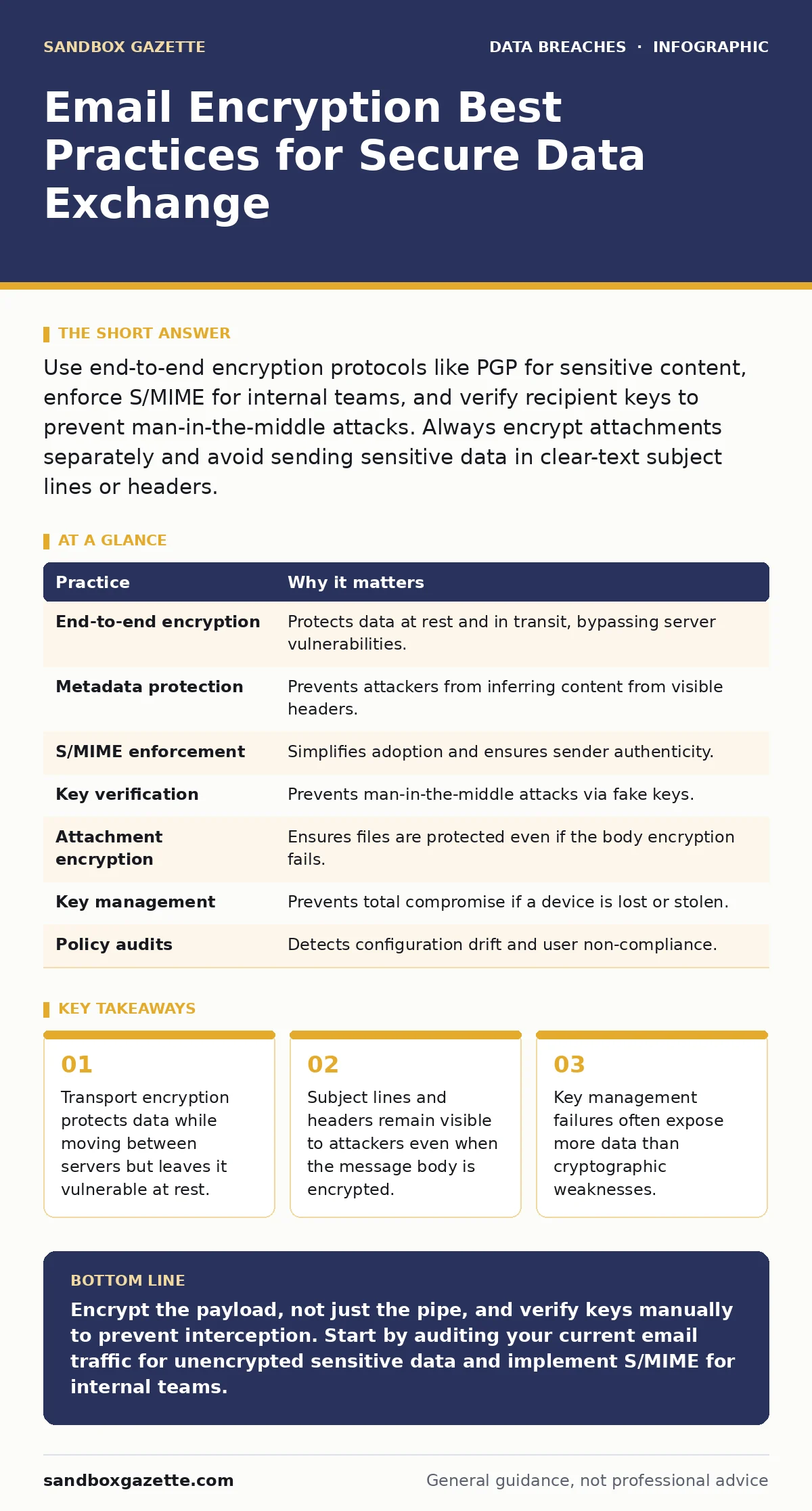
Use end-to-end encryption protocols like PGP for sensitive content, enforce S/MIME for internal teams, and verify recipient keys to prevent man-in-the-middle attacks. Always encrypt attachments separately and avoid sending sensitive data in clear-text subject lines or headers.
The Limits of Transport Security
You likely assume that HTTPS protects your email. It does, but only between your device and the mail server, and between servers during relay. This is transport-level encryption. Once the message lands on the recipient’s server, it sits in plain text unless that server also uses TLS. If the recipient’s server is misconfigured, your sensitive data arrives unencrypted.
This gap is why many organizations still suffer data breaches despite using secure email gateways. The gateway secures the pipe, not the bucket. You must encrypt the payload itself, not just the channel.
1. Implement End-to-End Encryption for Sensitive Content
Transport encryption fails when the destination server is compromised. End-to-end encryption ensures that only the intended recipient can read the message, regardless of who controls the intermediate servers. You use public-key cryptography, where the sender encrypts data with the recipient’s public key, and only the recipient’s private key can decrypt it.
The trade-off is complexity. If you lose your private key, you lose access to your past communications. There is no password reset.
- Tip: Use PGP (Pretty Good Privacy) or S/MIME for external partners who handle sensitive information. Verify the public key fingerprint via a secondary channel before first use to ensure you are encrypting for the correct person.
2. Protect Metadata and Subject Lines
Encryption protocols protect the body of the email. They do not protect the subject line, sender address, or recipient address. Attackers can analyze this metadata to map organizational structures or infer the content of encrypted messages. This is a common vector for shadow IT data exposure, where employees use personal accounts to bypass corporate controls, leaving a trail of visible metadata.
Imagine sending an encrypted file named "Q3_Financials.xlsx" with the subject "Urgent: Q3 Results". The body is safe, but the filename and subject reveal the content’s nature.
- Tip: Use generic subject lines like "Meeting Notes" or "Attachment Included" for sensitive correspondence. Encrypt filenames by zipping them with a password before attaching, ensuring the filename itself is not visible in the email header.
3. Enforce S/MIME for Internal Communications
S/MIME (Secure/Multipurpose Internet Mail Extensions) uses digital certificates to sign and encrypt emails. It integrates directly into standard email clients, making it easier for employees to adopt than PGP. Signing verifies the sender’s identity, preventing impersonation. Encryption ensures confidentiality.
The hidden cost is certificate management. If a certificate expires or is revoked, email flow stops. You need a reliable certificate authority and an automated renewal process.
- Tip: Deploy an internal certificate authority to issue S/MIME certificates to all employees automatically. Integrate this with your identity provider to ensure certificates are revoked when an employee leaves.
4. Verify Recipient Keys Manually
Public key directories are not always trustworthy. An attacker can upload a fake key with your name, tricking senders into encrypting messages for the attacker. This is a classic man-in-the-middle attack. You must verify the key fingerprint, a unique string of characters representing the key, through a secure out-of-band channel.
This step is often skipped for convenience. That convenience is the vulnerability.
- Tip: Call the recipient or use a secure messaging app to compare the last four digits of the key fingerprint. Do not rely on email-based key verification, as the email itself may be intercepted.
See also: DKIM Email Security: Real Benefits and Hidden Limitations · Secure Email Gateways: 9 FAQs on Architecture and Limits
5. Encrypt Attachments Separately
Some encryption solutions only protect the email body. Attachments may be transmitted in clear text or encrypted with a different, weaker key. If an attacker intercepts the message, they can strip the body and keep the attachment. This is a frequent oversight in third-party risk assessments, where vendors claim compliance but fail to secure file transfers.
Imagine sending a policy document encrypted, but the accompanying logo image is not. The image may contain metadata revealing camera models, locations, or editing software, providing context for the encrypted text.
- Tip: Zip all attachments into a single archive and encrypt the archive with a strong symmetric key before attaching it to the email. Share the decryption password via a different channel, such as a phone call or secure messaging app.
6. Manage Private Keys Securely
Your private key is the master switch for your encrypted communications. If an attacker steals it, they can decrypt your past and future messages. Storing keys on an unencrypted USB drive or in a cloud folder is a critical failure. Keys must be protected with hardware security modules or encrypted key stores.
The risk increases when you travel. A lost laptop with an unencrypted key store is a disaster.
- Tip: Store private keys on a hardware token or in an encrypted volume that requires a separate password to unlock. Never store the decryption password in the same location as the key.
7. Audit Encryption Policies Regularly
Encryption settings drift over time. Employees may disable encryption for convenience. Servers may fail to update certificates. Regular audits ensure that your encryption policies are being followed. This aligns with ISO 27001 requirements for continuous improvement and monitoring.
Without audits, you assume security exists where it does not.
- Tip: Use automated tools to scan for unencrypted emails containing sensitive keywords or patterns. Set up alerts for any outgoing messages that lack encryption headers or signatures.
| Practice | Why it matters |
|---|---|
| End-to-end encryption | Protects data at rest and in transit, bypassing server vulnerabilities. |
| Metadata protection | Prevents attackers from inferring content from visible headers. |
| S/MIME enforcement | Simplifies adoption and ensures sender authenticity. |
| Key verification | Prevents man-in-the-middle attacks via fake keys. |
| Attachment encryption | Ensures files are protected even if the body encryption fails. |
| Key management | Prevents total compromise if a device is lost or stolen. |
| Policy audits | Detects configuration drift and user non-compliance. |
8. Train Users on Key Handling
Technology alone fails if users mishandle it. Employees may share passwords, save private keys on cloud drives, or click on phishing links that steal decryption credentials. Training must focus on the specific risks of encryption, such as key loss and metadata leakage.
This complements broader password leaks awareness, as the private key passphrase is often the weakest link.
- Tip: Conduct quarterly drills where users must simulate key recovery and verification. Test their ability to identify fake key fingerprints and handle lost tokens.
Key takeaways
- Transport encryption protects data while moving between servers but leaves it vulnerable at rest.
- Subject lines and headers remain visible to attackers even when the message body is encrypted.
- Key management failures often expose more data than cryptographic weaknesses.
Encrypt the payload, not just the pipe, and verify keys manually to prevent interception. Start by auditing your current email traffic for unencrypted sensitive data and implement S/MIME for internal teams.
Frequently asked questions
Does HTTPS protect my email content?
No, HTTPS only encrypts the connection between your browser and the email provider. Once the email is stored on the server or sent to another provider, it may be unencrypted unless you use end-to-end encryption.
Can encrypted emails be hacked?
Encryption itself is mathematically secure, but the keys used to decrypt can be stolen. If an attacker gains access to your private key or passphrase, they can read your encrypted messages.
What is the difference between PGP and S/MIME?
PGP uses a web of trust for key verification and is often used externally, while S/MIME uses digital certificates from a trusted authority and is better integrated into corporate email systems.
How do I recover lost encrypted emails?
You cannot. If you lose your private key or passphrase, the data is permanently inaccessible. This is why backing up keys securely is critical.
How this guide was produced: written by the Sandbox Gazette editorial team with AI assistance, checked against the public references listed below, and reviewed when the facts change. See our editorial policy or report an error.