Detect stalkerware by auditing installed applications for unknown utilities, reviewing accessibility service permissions, and monitoring for background screen capture. Check for unexpected location data exfiltration and battery drain. Use endpoint detection platforms that track process behavior, not just static file hashes. Verify device integrity through boot logs and network traffic analysis.
Accessibility Services and Permissions
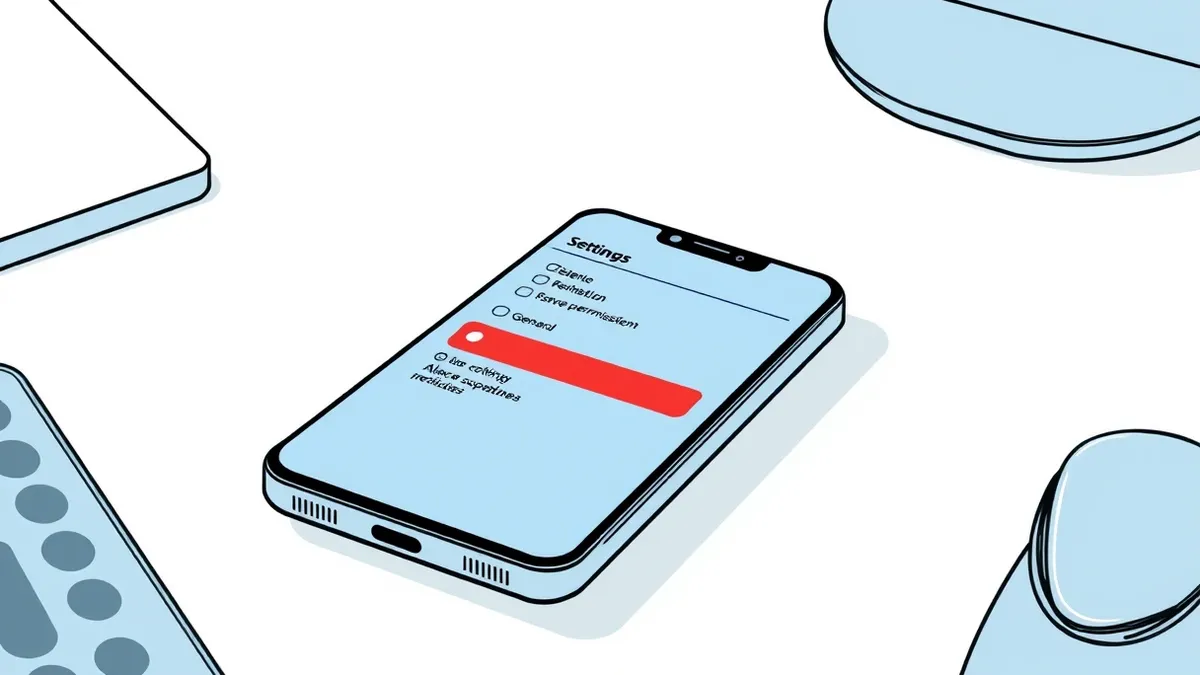
Stalkerware relies on high-level permissions to function. On mobile operating systems, accessibility services allow applications to read screen content and control device inputs. Attackers request these permissions by claiming the app helps users with disabilities. You must review every application granted accessibility rights. Legitimate apps rarely need this level of access. If a utility app holds these rights, it can log keystrokes and capture messages in real time. This bypasses standard application sandboxing because the OS treats the accessibility service as a trusted helper.
Background Process Behavior
Stalkerware runs silently to avoid detection. It often creates background services that persist across reboots. You should monitor for processes that consume resources without a visible user interface. These services may share names with system components to blend in. Check for applications that start automatically without user consent. Some variants inject code into legitimate processes. This technique, known as process injection, makes the malicious code appear as part of a trusted application. Your endpoint detection platform should flag processes that spawn unexpected child processes.
Network Traffic Anomalies
Data exfiltration leaves network traces. Stalkerware sends captured data to command and control servers. This traffic often occurs at regular intervals, creating a beaconing pattern. You can detect this by analyzing outbound connections from mobile devices. Look for connections to unknown domains or IP addresses. Some stalkerware uses encrypted channels to hide the payload. Even if you cannot decrypt the traffic, the volume and timing may stand out. Compare current traffic baselines against historical data. Sudden increases in data usage from a single device often indicate active surveillance.
Battery and Resource Drain
Continuous monitoring consumes significant device resources. Stalkerware records location, microphone input and screen activity. This constant activity drains the battery faster than normal use. You should correlate battery usage reports with installed applications. A sudden drop in battery life often coincides with the installation of surveillance software. Thermal output may also increase. Devices running stalkerware often feel warmer than usual. This physical symptom provides a quick indicator for end users who may not notice software anomalies. It serves as a secondary signal when digital logs are ambiguous.
File System and Storage Changes
Stalkerware modifies system files to maintain persistence. It may create hidden directories or modify configuration files. You should scan for new files in system partitions. Look for files with recent modification dates that do not match known updates. Some variants store captured data locally before exfiltration. This local storage creates large files that are easy to spot. Check for files with generic names or no extension. These files often contain raw audio or image data. Regular file integrity monitoring can alert you to unauthorized changes in critical directories.
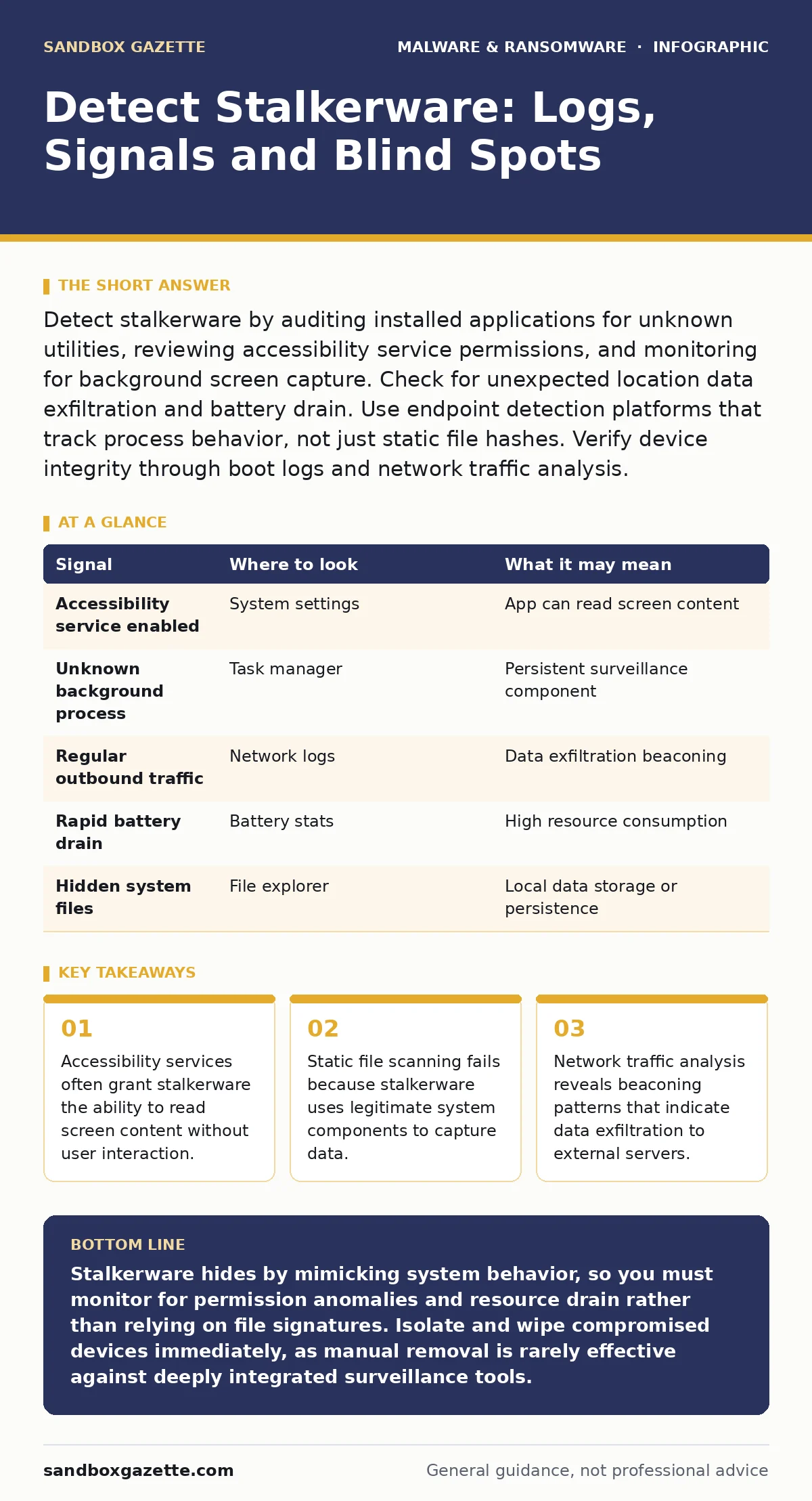
| Signal | Where to look | What it may mean |
|---|---|---|
| Accessibility service enabled | System settings | App can read screen content |
| Unknown background process | Task manager | Persistent surveillance component |
| Regular outbound traffic | Network logs | Data exfiltration beaconing |
| Rapid battery drain | Battery stats | High resource consumption |
| Hidden system files | File explorer | Local data storage or persistence |
See also: Spyware Warning Signs: What to Spot Before Data Is Stolen · Fileless Malware Explained: How Attacks Hide in Memory
Mobile Device Management Integration
Mobile device management platforms provide centralized visibility. You can enforce policies that restrict the installation of unknown applications. These platforms also allow you to remotely wipe devices if compromise is suspected. Integrate your MDM solution with your security information and event management system. This correlation helps identify patterns across multiple devices. You can set alerts for devices that deviate from the standard configuration. This approach reduces the manual effort required to check individual endpoints. It provides a scalable method for large organizations.
Blind Spots in Detection
Standard antivirus solutions often miss stalkerware. These tools rely on signature matching. Stalkerware developers update their code frequently to evade detection. Behavioral analysis is more effective but requires tuning. You must define what normal behavior looks like for each device type. Another blind spot is user privacy settings. Users may disable security features to use certain apps. This reduces the visibility of your monitoring tools. Finally, some stalkerware operates only when the device is connected to specific networks. This intermittent activity makes it harder to detect through continuous monitoring.
Response and Remediation
Once you detect stalkerware, immediate action is required. You must isolate the device from the network. This prevents further data exfiltration. Then, perform a forensic analysis to determine the scope of the compromise. Identify what data was accessed and for how long. After analysis, wipe the device completely. Reinstall the operating system from a trusted source. Restore data only from verified backups. Educate the user on how the infection occurred. This helps prevent future incidents. Document the incident for future reference and compliance requirements.
Related Security Considerations
Stalkerware often shares techniques with other malware families. Understanding these connections helps improve your detection capabilities. For instance, the use of legitimate tools for malicious purposes mirrors remote access tool abuse. Both rely on trust relationships to bypass security controls. Similarly, the persistence mechanisms used by stalkerware resemble those found in trojanized software.
Both hide within legitimate applications to avoid suspicion. Your detection strategies should account for these similarities. Review your guides on logic bombs and ransomware incident response to understand how persistent threats operate. These resources provide broader context for handling complex malware scenarios.
Key takeaways
- Accessibility services often grant stalkerware the ability to read screen content without user interaction.
- Static file scanning fails because stalkerware uses legitimate system components to capture data.
- Network traffic analysis reveals beaconing patterns that indicate data exfiltration to external servers.
Stalkerware hides by mimicking system behavior, so you must monitor for permission anomalies and resource drain rather than relying on file signatures. Isolate and wipe compromised devices immediately, as manual removal is rarely effective against deeply integrated surveillance tools.
Frequently asked questions
Can stalkerware be detected by standard antivirus software?
Standard antivirus tools often miss stalkerware because they rely on known signatures. These tools are less effective against custom-built surveillance software that changes its code frequently to evade detection.
How do I know if my device is infected without technical tools?
Look for signs like rapid battery drain, unusual data usage, and device overheating. Also, check for unknown applications or accessibility services enabled for apps you do not recognize or use.
Is it possible to remove stalkerware without wiping the device?
Manual removal is risky and often incomplete. Stalkerware embeds itself deeply in the system to persist. A full factory reset is the safest method to ensure all malicious components are removed permanently.
What permissions should I audit on mobile devices?
Focus on accessibility services, notification access and location permissions. These grants allow apps to read screen content, capture messages and track movement without direct user interaction.
How this guide was produced: written by the Sandbox Gazette editorial team with AI assistance, checked against the public references listed below, and reviewed when the facts change. See our editorial policy or report an error.