Start by mapping existing manual workflows before writing any code. Define clear triggers and human approval gates for high-risk actions. Test every playbook in an isolated environment. Measure success by reduced mean time to respond, not just by the number of alerts processed automatically.
Define the Scope of Automation
You cannot automate what you cannot define. The first phase of implementation requires a rigorous audit of your current incident response procedures. Identify repetitive, high-volume tasks that follow a strict logical path. These are the candidates for automation. Avoid complex decision-making processes in the early stages.
Many teams make the error of trying to automate everything at once. This creates a tangled web of dependencies that is difficult to debug. Instead, select three to five high-frequency, low-risk use cases. Examples include phishing email analysis or user account lockouts. These tasks have clear inputs and predictable outputs.
Consider how your current SIEM (Security Information and Event Management) system generates alerts. The automation platform must integrate with this data source. If the SIEM data is noisy or unstructured, the automation will fail. Clean the data pipeline first.
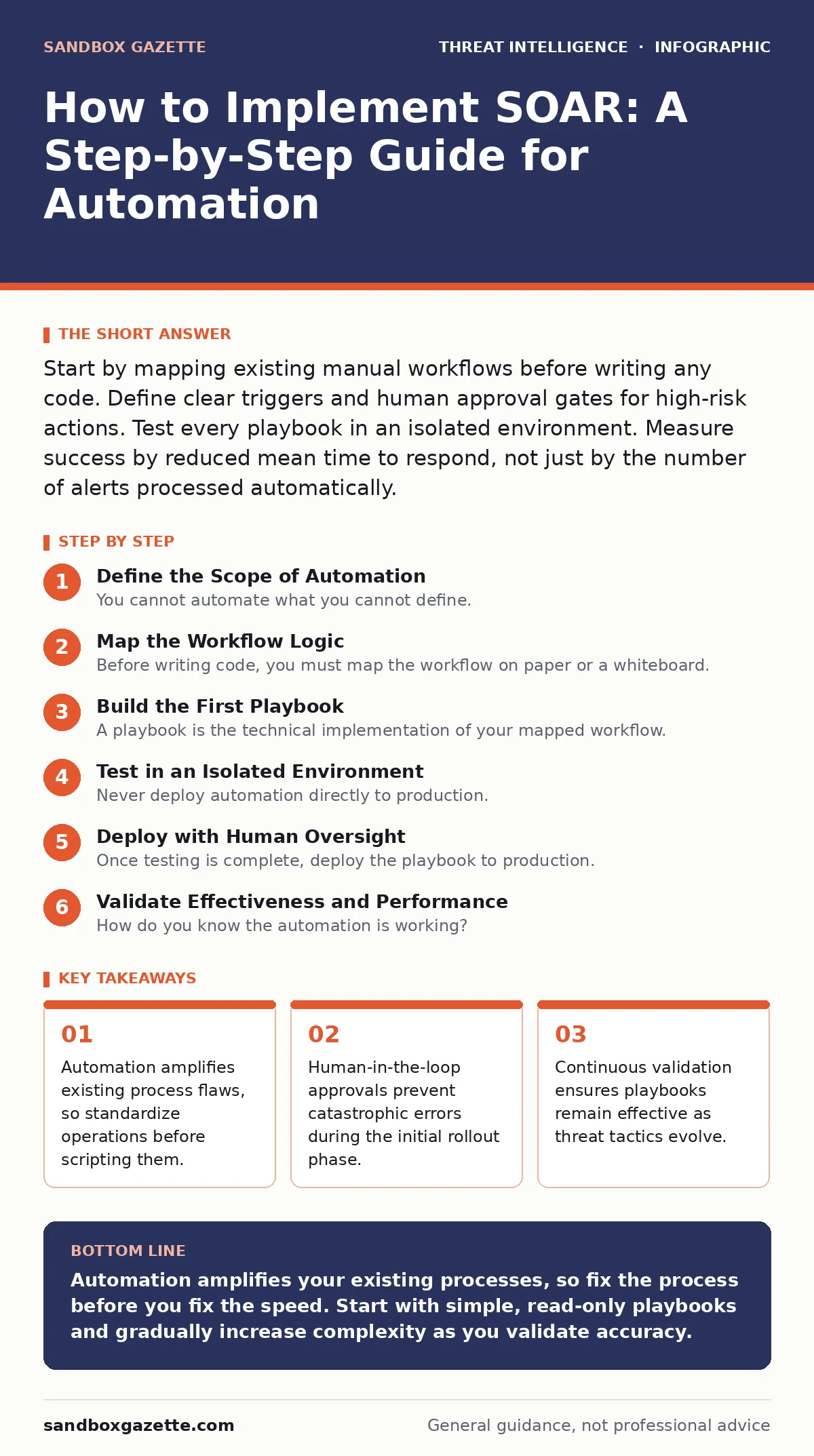
Map the Workflow Logic
Before writing code, you must map the workflow on paper or a whiteboard. Break down the manual process into discrete steps. Each step must have a clear trigger and a definitive outcome. Identify where human intervention is required.
For example, a phishing investigation might involve extracting headers, checking URL reputation, and analyzing attachments. Each of these is a distinct step. Some steps can be fully automated. Others, like confirming the legitimacy of a sender, may require analyst input.
Define the decision gates clearly. What happens if a step fails? What happens if the data is missing? You need error handling for every branch of the logic. This prevents the automation from hanging or producing false positives.
Build the First Playbook
A playbook is the technical implementation of your mapped workflow. It consists of a series of actions triggered by specific events. Start with a simple playbook that performs read-only actions. This allows you to test the integration without risking operational stability.
Use standard protocols for communication between systems. REST APIs are the most common method for integrating tools. Ensure that authentication is handled securely. Use service accounts with least privilege access.
Document the playbook thoroughly. Include the purpose, inputs, outputs, and potential side effects. This documentation is vital for future maintenance and for training new team members. It also serves as a reference during audits.
Test in an Isolated Environment
Never deploy automation directly to production. You must test every playbook in a sandbox environment. This environment should mirror your production infrastructure as closely as possible. It should contain similar data volumes and system configurations.
Run through various scenarios. Test happy paths where everything works as expected. Test edge cases where data is missing or malformed. Test failure modes where external services are unreachable.
Verify that the automation handles errors gracefully. It should log failures and alert human operators. It should not silently fail or loop indefinitely. This testing phase reveals integration issues and logic flaws.
Deploy with Human Oversight
Once testing is complete, deploy the playbook to production. Start with a "human-in-the-loop" mode. The automation performs the analysis and recommends an action, but a human must approve it. This allows you to validate the accuracy of the automation in real-world conditions.
Monitor the performance closely. Look for false positives and false negatives. Adjust the logic as needed. Gradually increase the level of automation as confidence grows.
For high-risk actions, such as blocking network traffic or disabling accounts, maintain human approval gates indefinitely. These actions have significant business impact. The cost of a mistake outweighs the benefit of speed.
See also: Build an Incident Response Plan for Small Business Teams · Warning Signs of Advanced Persistent Threats: What to Spot First
Validate Effectiveness and Performance
How do you know the automation is working? You must define key performance indicators before deployment. Common metrics include mean time to detect and mean time to respond. Compare these metrics before and after implementation.
Review the logs regularly. Look for patterns in failures or errors. Are certain playbooks triggering too often? Are they missing relevant events? Adjust the thresholds and logic accordingly.
Conduct regular reviews with your security team. Gather feedback on the usability and effectiveness of the automation. Are analysts spending less time on repetitive tasks? Are they more engaged in high-value investigations?
Maintain and Update Regularly
Automation is not a set-and-forget solution. Threats evolve, and so do your systems. You must maintain and update your playbooks regularly. Review them quarterly or after significant changes to your infrastructure.
Update integrations as vendors release new versions. API changes can break existing playbooks. Ensure that your service accounts remain valid and have appropriate permissions.
Test new playbooks against emerging threats. Refer to strategic threat intelligence to understand the broader context of current attacks. This helps you prioritize which new threats to automate responses for.
Check for compatibility with other security tools. If you add new capabilities to your endpoint telemetry pipeline, ensure that your playbooks can ingest and analyze this new data. Ignoring new data sources reduces the effectiveness of your automation.
Verification Checklist
Use this checklist to verify your implementation:
- All playbooks have been tested in a sandbox environment.
- Error handling is defined for every step in the workflow.
- Human approval gates are in place for high-risk actions.
- Logs are being collected and monitored for failures.
- Documentation is up to date and accessible to all team members.
- Performance metrics are being tracked and reviewed.
- Integrations with other security tools are functioning correctly.
Key takeaways
- Automation amplifies existing process flaws, so standardize operations before scripting them.
- Human-in-the-loop approvals prevent catastrophic errors during the initial rollout phase.
- Continuous validation ensures playbooks remain effective as threat tactics evolve.
Automation amplifies your existing processes, so fix the process before you fix the speed. Start with simple, read-only playbooks and gradually increase complexity as you validate accuracy.
Frequently asked questions
What is the difference between SOAR and a SIEM?
A SIEM collects and correlates log data to generate alerts. SOAR automates the response to those alerts, reducing manual effort and speeding up resolution.
How many playbooks should I start with?
Start with three to five high-frequency, low-risk playbooks. This allows you to build confidence and refine your process before tackling more complex scenarios.
What are the common integration challenges?
API compatibility, authentication management, and data format inconsistencies are common challenges. Ensure that all systems have well-documented APIs and that data is standardized.
How this guide was produced: written by the Sandbox Gazette editorial team with AI assistance, checked against the public references listed below, and reviewed when the facts change. See our editorial policy or report an error.