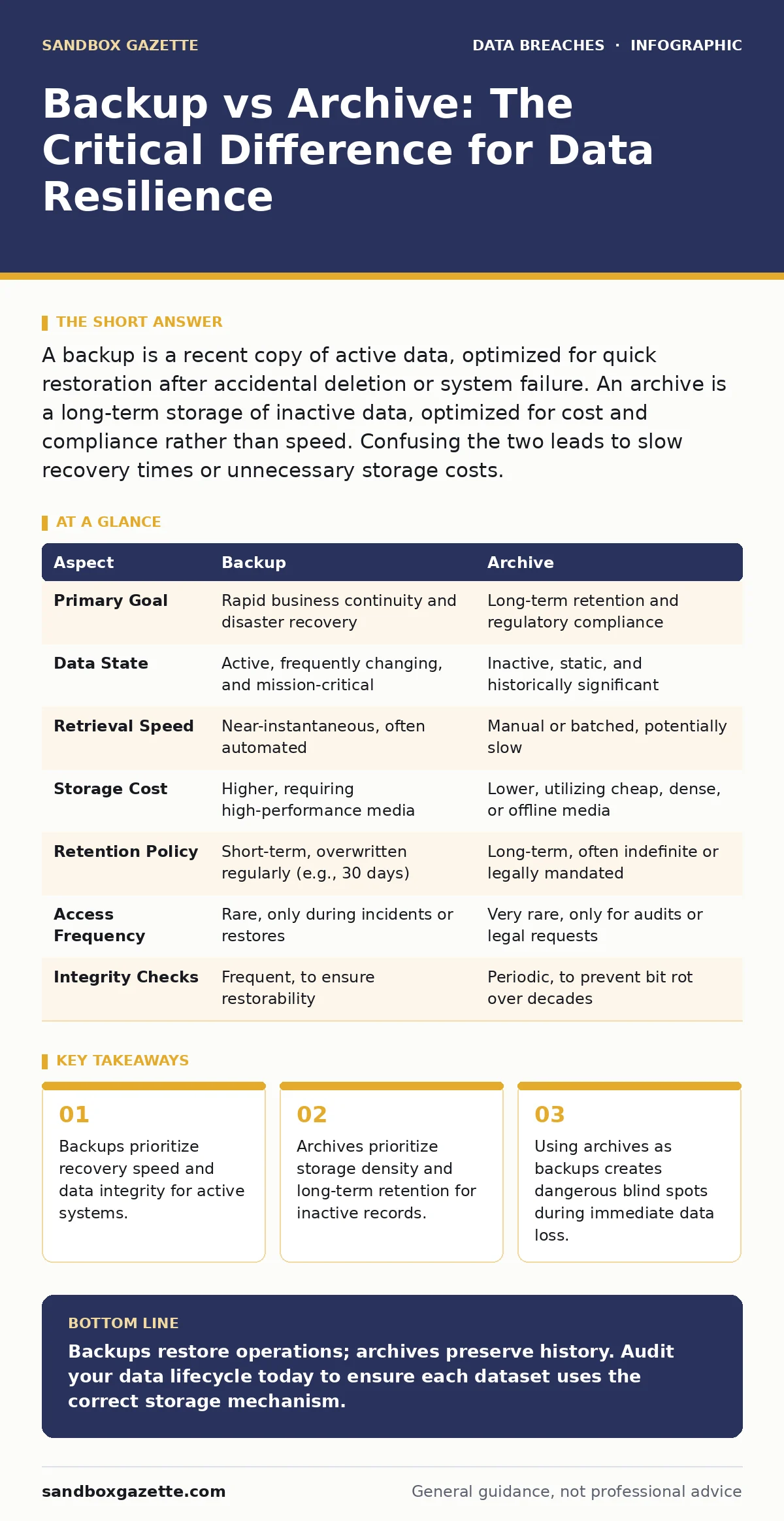
A backup is a recent copy of active data, optimized for quick restoration after accidental deletion or system failure. An archive is a long-term storage of inactive data, optimized for cost and compliance rather than speed. Confusing the two leads to slow recovery times or unnecessary storage costs.
The Operational Distinction
You treat data as a living asset, but not all data lives at the same pace. A backup is a shadow copy of your current state, designed to restore operations when the primary source fails. It mirrors the live environment, capturing the exact configuration and file states of the moment. An archive is a cold storage vault for data that has ceased its operational life. It preserves history, evidence, and context for years, not hours. Mixing these concepts is a common architectural error that inflates costs and slows incident response.
When you delete a file, you expect the backup to bring it back within minutes. You do not expect the archive to do the same. The archive holds the file for a decade, but retrieving it might take days. This difference in time-to-recover defines the entire strategy.
| Aspect | Backup | Archive |
|---|---|---|
| Primary Goal | Rapid business continuity and disaster recovery | Long-term retention and regulatory compliance |
| Data State | Active, frequently changing, and mission-critical | Inactive, static, and historically significant |
| Retrieval Speed | Near-instantaneous, often automated | Manual or batched, potentially slow |
| Storage Cost | Higher, requiring high-performance media | Lower, utilizing cheap, dense, or offline media |
| Retention Policy | Short-term, overwritten regularly (e.g., 30 days) | Long-term, often indefinite or legally mandated |
| Access Frequency | Rare, only during incidents or restores | Very rare, only for audits or legal requests |
| Integrity Checks | Frequent, to ensure restorability | Periodic, to prevent bit rot over decades |
Choosing the Right Mechanism
You must align the storage method with the data's lifecycle. Active data needs protection from immediate threats like ransomware or human error. This is where backups excel. They are designed to be restored quickly, often with point-in-time granularity. If your database corrupts, you need the backup to spin up a new instance in minutes. The cost of high-performance storage is justified by the need for speed.
Choose the backup when:
- You need to restore a specific file deleted an hour ago.
- Your server crashes and requires an immediate image restore.
- Ransomware encrypts active drives and you need a clean snapshot.
- You are testing disaster recovery procedures for uptime guarantees.
Choose the archive when:
- You must retain financial records for seven years for tax law.
- You need to preserve email communications for potential litigation.
- You want to offload old project data to reduce primary storage costs.
- You are complying with industry standards like ISO 27001 regarding record keeping.
The Danger of Overlap
The lines blur when organizations use cheap archival storage for backups. This is a critical failure point. Imagine a scenario where your primary database is corrupted. If your "backup" is sitting on slow, cold archive storage, your business remains down while you wait for terabytes to retrieve. This latency is unacceptable for operational continuity. Conversely, using expensive backup storage for archives wastes budget on data you will likely never touch.
Legal and Compliance Nuances
Archives often carry legal weight that backups do not. A backup is a technical copy; an archive is often a legal record. When a lawsuit arises, you cannot simply delete an archive to save space. You must place it under a legal hold, freezing its deletion. Backups, however, follow a rotation schedule. If a backup is overwritten before a legal hold is applied, you may face spoliation of evidence claims. This distinction requires coordination between IT and legal teams.
This separation also affects how you handle third-party risk assessments. If a vendor stores your archives, you must verify their retention and access controls more rigorously than their backup services. The vendor’s ability to restore your data quickly matters less than their ability to prove the data has not been altered over five years.
Integration with Security Frameworks
Your security strategy must account for both mechanisms. Email encryption protects data in transit, but it does not dictate how you store it long-term. Archives of encrypted emails must retain the decryption keys securely. If you lose the keys, the archive becomes useless. Backups of encrypted data are easier to manage, as the encryption state is usually tied to the active system.
Consider the impact of shadow IT data exposure. Unmanaged devices often lack proper backup strategies, leading to data loss. They also rarely have archival policies, leading to compliance gaps. Centralizing these processes reduces the risk of data leaking out of unofficial channels.
See also: ISO 27001 FAQ: Answers to Common Certification Questions
Practical Implementation Steps
Start by auditing your data. Tag files by their age and access frequency. Define clear policies for what constitutes "active" versus "inactive" data. Implement immutable backups for ransomware protection, ensuring they cannot be altered or deleted for a set period. For archives, use write-once-read-many (WORM) storage or equivalent controls to prevent tampering.
- Identify critical systems requiring fast recovery.
- Assign these systems to high-performance backup solutions.
- Identify compliance-driven data requiring long-term retention.
- Assign this data to cost-effective archive solutions.
- Test both recovery paths regularly.
Final Considerations
The distinction is not just technical; it is financial and legal. Backups keep the lights on. Archives keep the company out of court. You need both, but they must be separate. Do not let convenience merge them. The cost of failure in either domain is high, but the nature of the failure differs. One stops business; the other stops the company.
Key takeaways
- Backups prioritize recovery speed and data integrity for active systems.
- Archives prioritize storage density and long-term retention for inactive records.
- Using archives as backups creates dangerous blind spots during immediate data loss.
- Legal holds apply differently to archives than to routine backup rotations.
Backups restore operations; archives preserve history. Audit your data lifecycle today to ensure each dataset uses the correct storage mechanism.
Frequently asked questions
Can I use cloud storage for both backups and archives?
Yes, but you must configure different tiers. Use hot storage for backups to ensure fast retrieval and cold or glacier storage for archives to reduce costs.
How often should I test my backups?
Test them regularly, at least quarterly. A backup that has not been restored in a production-like environment is unproven and likely to fail.
Do archives need encryption?
Yes, archives must be encrypted to protect sensitive historical data. Ensure key management procedures allow for decryption over many years.
What happens if I lose my backup keys?
You cannot restore the data. Immutable backups protect against ransomware, but lost keys make the data permanently inaccessible, similar to archival failure.
How this guide was produced: written by the Sandbox Gazette editorial team with AI assistance, checked against the public references listed below, and reviewed when the facts change. See our editorial policy or report an error.