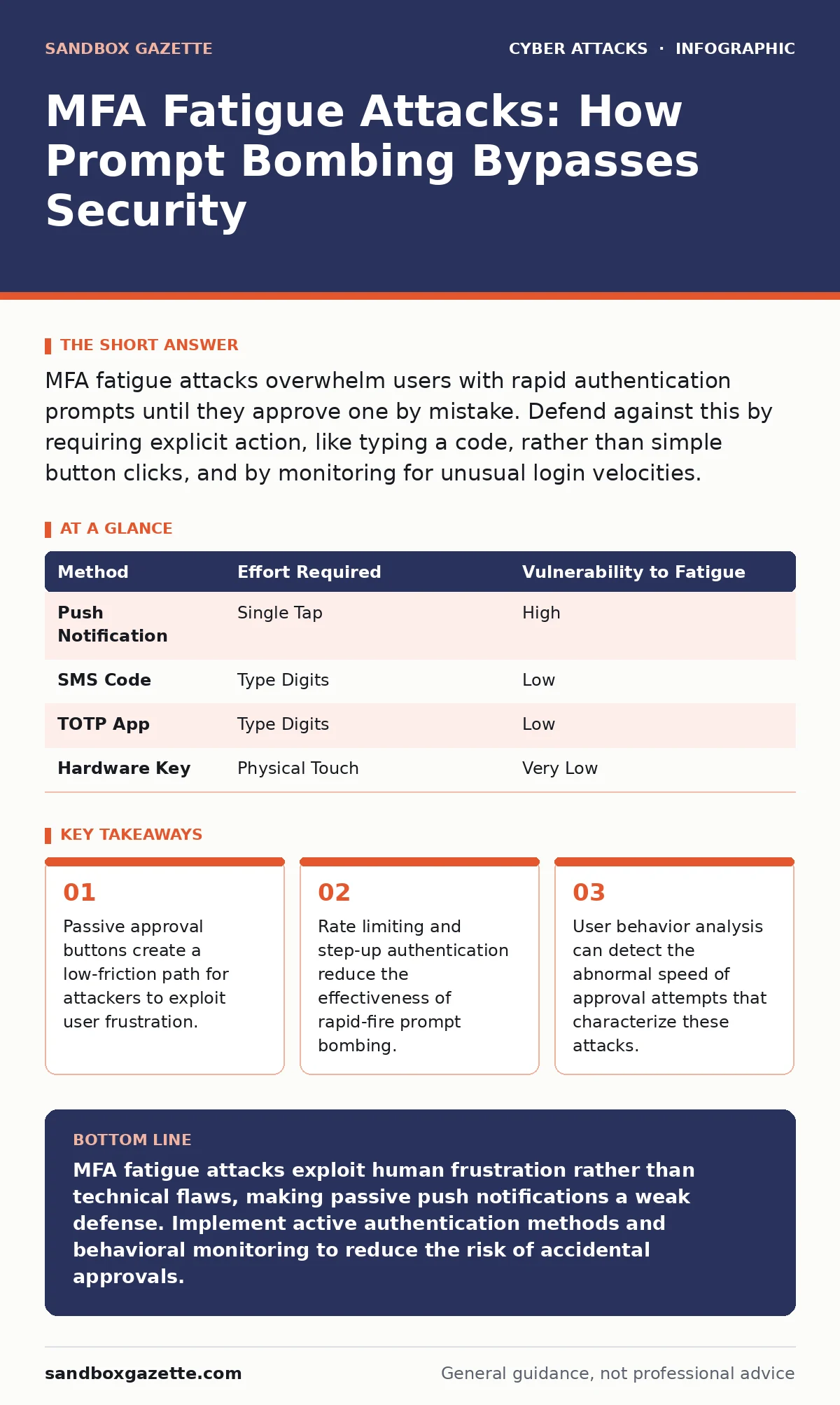
MFA fatigue attacks overwhelm users with rapid authentication prompts until they approve one by mistake. Defend against this by requiring explicit action, like typing a code, rather than simple button clicks, and by monitoring for unusual login velocities.
What is an MFA fatigue attack?
An MFA fatigue attack, also known as prompt bombing, is a technique where an attacker sends multiple authentication requests to a user’s device to induce an accidental approval. The attacker does not need to guess your password or steal a token; they only need you to click "Yes" on a notification you did not initiate. This method exploits the psychological pressure of constant interruptions rather than a technical vulnerability in the encryption itself.
Why do users fall for this specific trick?
Users approve requests to stop the noise, not because they believe the login is legitimate. When a phone vibrates repeatedly over a short period, the cognitive load increases, and the default behavior becomes shutting down the disturbance. This is a form of social engineering that bypasses technical controls by targeting human patience and stress responses. It relies on the assumption that a user will prioritize immediate relief over security verification.
How does this differ from standard phishing?
Standard phishing requires you to actively provide credentials or click a malicious link, whereas MFA fatigue requires only a single affirmative response to a push notification. Phishing attacks often rely on deception and urgency in an email or message, while fatigue attacks rely on persistence and annoyance. The attacker already has your username and often your password; they are only waiting for the second factor to be granted. This makes fatigue attacks a more direct path to account takeover once initial credentials are compromised.
Which authentication methods are most vulnerable?
Push notifications with simple "Approve" or "Deny" buttons are the most vulnerable to this technique. These passive methods require minimal effort from the user, making it easy to click the wrong button during a barrage of alerts. Methods that require active input, such as typing a one-time password or using a hardware security key, are significantly more resistant. Active methods force the user to engage with the device deliberately, breaking the cycle of mindless approval.
| Method | Effort Required | Vulnerability to Fatigue |
|---|---|---|
| Push Notification | Single Tap | High |
| SMS Code | Type Digits | Low |
| TOTP App | Type Digits | Low |
| Hardware Key | Physical Touch | Very Low |
Can organizations technically prevent prompt bombing?
Organizations can mitigate risk by implementing rate limiting on authentication requests and requiring step-up authentication for sensitive actions. If a user receives five requests in ten seconds, the system can flag this as anomalous behavior and block further attempts. Additionally, requiring users to enter a specific transaction code displayed on the login screen adds a layer of verification that a simple tap cannot satisfy. These controls increase the friction for attackers while maintaining usability for legitimate users.
See also: How to Avoid Email Spoofing: Stop Forged Messages at the Gate · How to Prevent Typosquatting: Stop Impersonation at the DNS Layer
What role does user behavior play in detection?
Security systems can detect fatigue attacks by analyzing the velocity and pattern of authentication requests. Legitimate users rarely approve multiple logins from different geographic locations within minutes. Anomalous patterns, such as a sudden spike in failed attempts followed by a rapid succession of approvals, trigger alerts for security operations teams. This behavioral analysis helps distinguish between a user who is traveling and an attacker who is brute-forcing the MFA layer.
How does zero trust security help here?
Zero trust security architectures assume no request is trustworthy by default, requiring continuous verification of every access attempt. In this model, even if an attacker obtains MFA approval, they may still be blocked if the device posture is unknown or the location is unexpected. This reduces the impact of a single compromised MFA event by adding contextual checks. It shifts the focus from perimeter defense to granular, policy-based access control.
Why is security awareness training not enough?
Training can educate users on the threat, but it cannot eliminate the physiological reaction to persistent notifications. Even aware users may slip up when tired, distracted, or overwhelmed by a barrage of alerts. Relying solely on human vigilance is fragile because fatigue attacks exploit universal human traits, not ignorance. Technical controls must enforce security policies regardless of user state or attention level. Training should complement, not replace, automated defenses.
What should you do if you suspect an attack?
If you receive multiple unexpected notifications, deny them immediately and change your password. Report the incident to your security team so they can review the logs and potentially lock the account temporarily. Check your account activity for any unauthorized sessions or changes to recovery information. This rapid response limits the window of opportunity for the attacker to exploit the approved session.
How does this relate to business email compromise?
Business email compromise often uses MFA fatigue as the final step to gain access to executive accounts. Attackers may first send a convincing email to create context, then bombard the victim with MFA prompts to finalize the intrusion. This combination leverages both social engineering and technical persistence to bypass security layers. Understanding this link helps organizations prioritize monitoring for high-value targets who may be subjected to coordinated attacks.
Key takeaways
- Passive approval buttons create a low-friction path for attackers to exploit user frustration.
- Rate limiting and step-up authentication reduce the effectiveness of rapid-fire prompt bombing.
- User behavior analysis can detect the abnormal speed of approval attempts that characterize these attacks.
MFA fatigue attacks exploit human frustration rather than technical flaws, making passive push notifications a weak defense. Implement active authentication methods and behavioral monitoring to reduce the risk of accidental approvals.
Frequently asked questions
Does two-factor authentication still work if I get fatigued?
Yes, but only if the second factor requires active input like typing a code or using a hardware key, rather than a simple button press.
Can I block MFA fatigue attacks on my personal accounts?
You can reduce risk by switching to an authenticator app or hardware key instead of SMS or push notifications for critical accounts.
Do attackers know when I approve the request?
Yes, the authentication system immediately notifies the attacker that the second factor has been granted, allowing them to log in instantly.
Is there a way to pause MFA requests temporarily?
Some identity providers allow users to pause or block requests from specific devices or locations, which can stop a bombardment in progress.
How this guide was produced: written by the Sandbox Gazette editorial team with AI assistance, checked against the public references listed below, and reviewed when the facts change. See our editorial policy or report an error.