Implement ransomware response by isolating affected nodes immediately, preserving memory for forensic analysis, and restoring from immutable backups. Verify containment by monitoring for lateral movement and validate recovery by testing restored files for integrity before reconnecting systems.
Establish Baseline Network Segmentation
You cannot contain an outbreak if your network allows unrestricted traffic. Before an incident occurs, you must design your infrastructure so that a compromise in one zone does not grant access to others. This requires strict access controls between workstations, servers, and administrative consoles.
Segmentation limits the blast radius of an infection. If a user clicks a link in trojanized software, the malware should remain trapped in the user segment. It should not reach the database servers or the backup infrastructure.
Verify this setup by attempting to move laterally between segments using a test account. If you can reach critical assets from a standard workstation without elevated privileges, your segmentation is flawed. Fix the firewall rules or group policies until the test fails.
Identify and Isolate the Infection
When you detect unusual file extensions or high CPU usage, your first action is isolation, not investigation. Do not unplug the machine yet, as this destroys volatile memory. Instead, disconnect the network interface card or disable the Wi-Fi adapter from the operating system level.
Isolating the host stops the ransomware from contacting its command-and-control server. It also prevents the malware from scanning for other vulnerable hosts. Many modern strains use remote access trojans to jump between machines once they have credentials.
To confirm isolation, check the network adapter status. It should show no active connection. You can also monitor outbound traffic on the switch port if you have access. If traffic continues, the isolation failed. Reapply the block at the switch level.
Preserve Volatile Evidence
After isolation, you must capture the state of the system. Ransomware often runs in memory and may not leave permanent traces on the disk. You need to capture the RAM contents before the system state changes or the device is rebooted.
Use a forensic tool to create a memory dump. This image contains running processes, network connections, and loaded modules. It reveals how the malware entered the system and what it was communicating with.
Verify the dump by checking its hash against a known good value if you have one. Ensure the file size matches the system’s installed RAM. A corrupted dump is useless for later analysis. Store this evidence securely, separate from the production network.
Contain Lateral Movement
Ransomware rarely stays on one machine. It uses stolen credentials to move to other devices. You must identify all systems that communicated with the infected host during the breach window. Review firewall logs and DNS queries to find these connections.
Block all traffic from and to these identified systems. Change the passwords for any accounts that were active on the compromised machine. This includes service accounts and administrative credentials.
Check that the lateral movement has stopped by monitoring for new login attempts from the isolated hosts. If you see new connections, expand your containment zone. Continue until no new unauthorized access is detected.
Eradicate the Threat
Once containment is stable, you must remove the malware. Do not rely on standard antivirus scans alone. Modern ransomware often disables security tools or hides in system processes. You need to perform a deep scan using updated signatures.
Reimage infected systems from known good builds. Do not try to clean a heavily compromised machine. Reimaging ensures that no hidden components remain. This is slower but more reliable than manual removal.
Verify eradication by running multiple scanning engines on the reimaged system. Check for any scheduled tasks or services that were not part of the original image. If anomalies persist, repeat the reimage process.
See also: Open Redirect Response: Containment, Recovery and Prevention Steps · Build an Incident Response Plan for Small Business Teams
Restore from Immutable Backups
Recovery depends on the integrity of your backups. If your backups are online and writable, the ransomware may have already encrypted them. You must use immutable backups that cannot be altered or deleted for a set period.
Restore data from these protected copies. Do not restore from the last available backup if it was taken before the breach window ended. Verify the restoration target is clean before writing data to it.
Check the restored files for integrity. Open a sample of documents to ensure they are not corrupted. Verify that file permissions are correct. If files are missing or damaged, restore from an earlier backup point.
Validate and Harden
After restoration, you must validate that the system is secure. Monitor for any signs of recurrence. Check for new user accounts or changed permissions. Ensure that all patches are applied to close the vulnerability the attackers used.
Update your incident response plan based on what you learned. Did the isolation work? Was the evidence clear? Use these insights to improve your procedures.
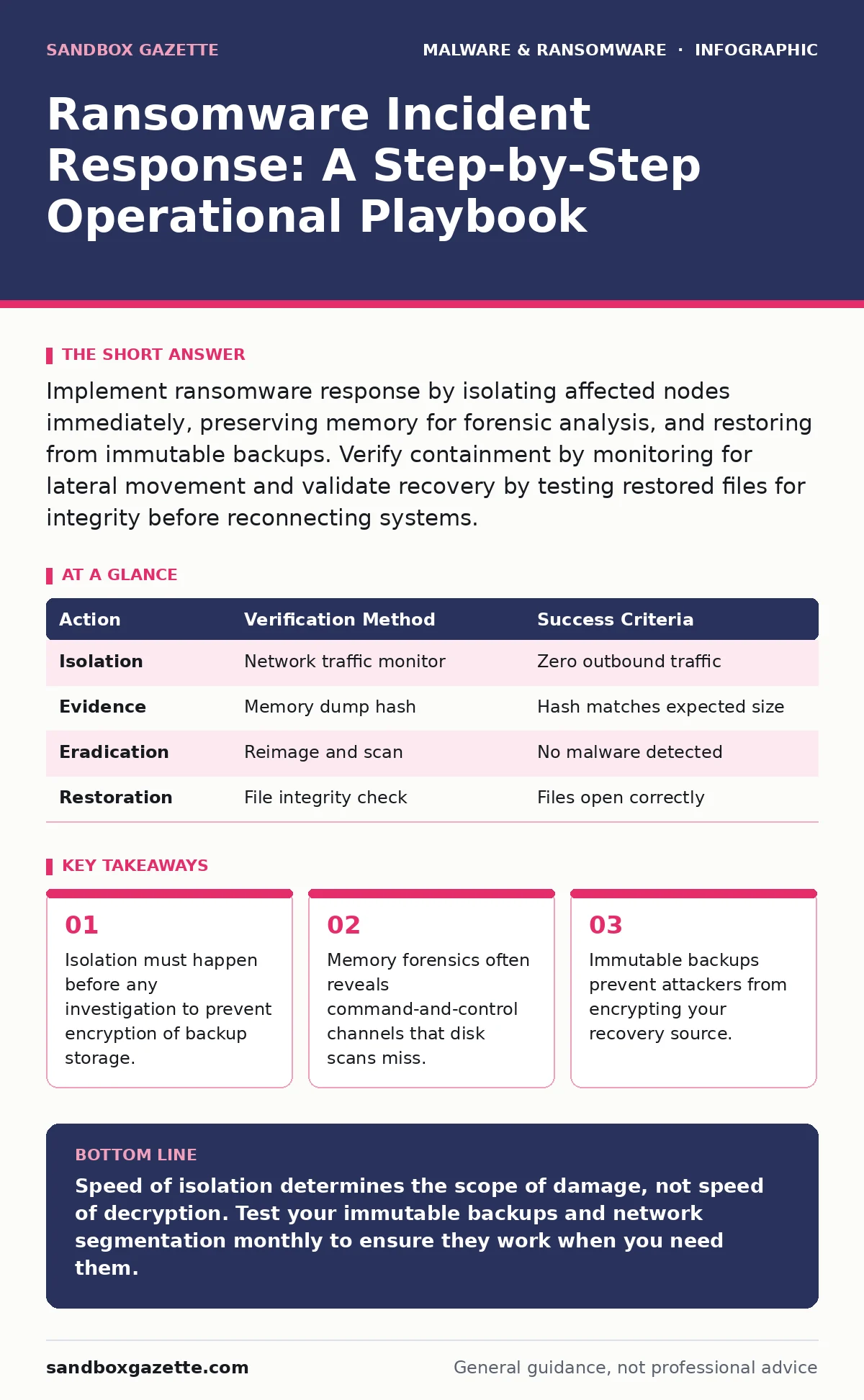
| Action | Verification Method | Success Criteria |
|---|---|---|
| Isolation | Network traffic monitor | Zero outbound traffic |
| Evidence | Memory dump hash | Hash matches expected size |
| Eradication | Reimage and scan | No malware detected |
| Restoration | File integrity check | Files open correctly |
Maintain Operational Readiness
Incident response is not a one-time task. You must maintain the skills and tools needed to respond. Conduct tabletop exercises regularly to test your team’s knowledge. Simulate different attack scenarios to identify gaps.
Update your contact lists and vendor information. Ensure that everyone knows their role during an incident. Review your software restriction policies to ensure they block unauthorized executables.
Check that your forensic tools are updated. Old tools may miss new malware families. Verify that your sandboxing environment is isolated and ready for analysis. Keep your playbooks current and accessible.
Key takeaways
- Isolation must happen before any investigation to prevent encryption of backup storage.
- Memory forensics often reveals command-and-control channels that disk scans miss.
- Immutable backups prevent attackers from encrypting your recovery source.
Speed of isolation determines the scope of damage, not speed of decryption. Test your immutable backups and network segmentation monthly to ensure they work when you need them.
Frequently asked questions
How do I know if my backups are safe from ransomware?
Check if your backups are immutable or air-gapped. If they are online and writable, they are likely compromised if the main network is infected.
Should I pay the ransom to get the decryption key?
Paying does not guarantee you will receive the key or that the attackers will not steal your data again. It also funds further criminal activity.
What is the first thing I should do when I see ransomware?
Disconnect the infected machine from the network immediately. Do not turn it off, as this destroys volatile evidence needed for investigation.
How often should I test my incident response plan?
Test it at least twice a year. Update the plan after every test or real incident to reflect new threats and changes in your infrastructure.
How this guide was produced: written by the Sandbox Gazette editorial team with AI assistance, checked against the public references listed below, and reviewed when the facts change. See our editorial policy or report an error.