
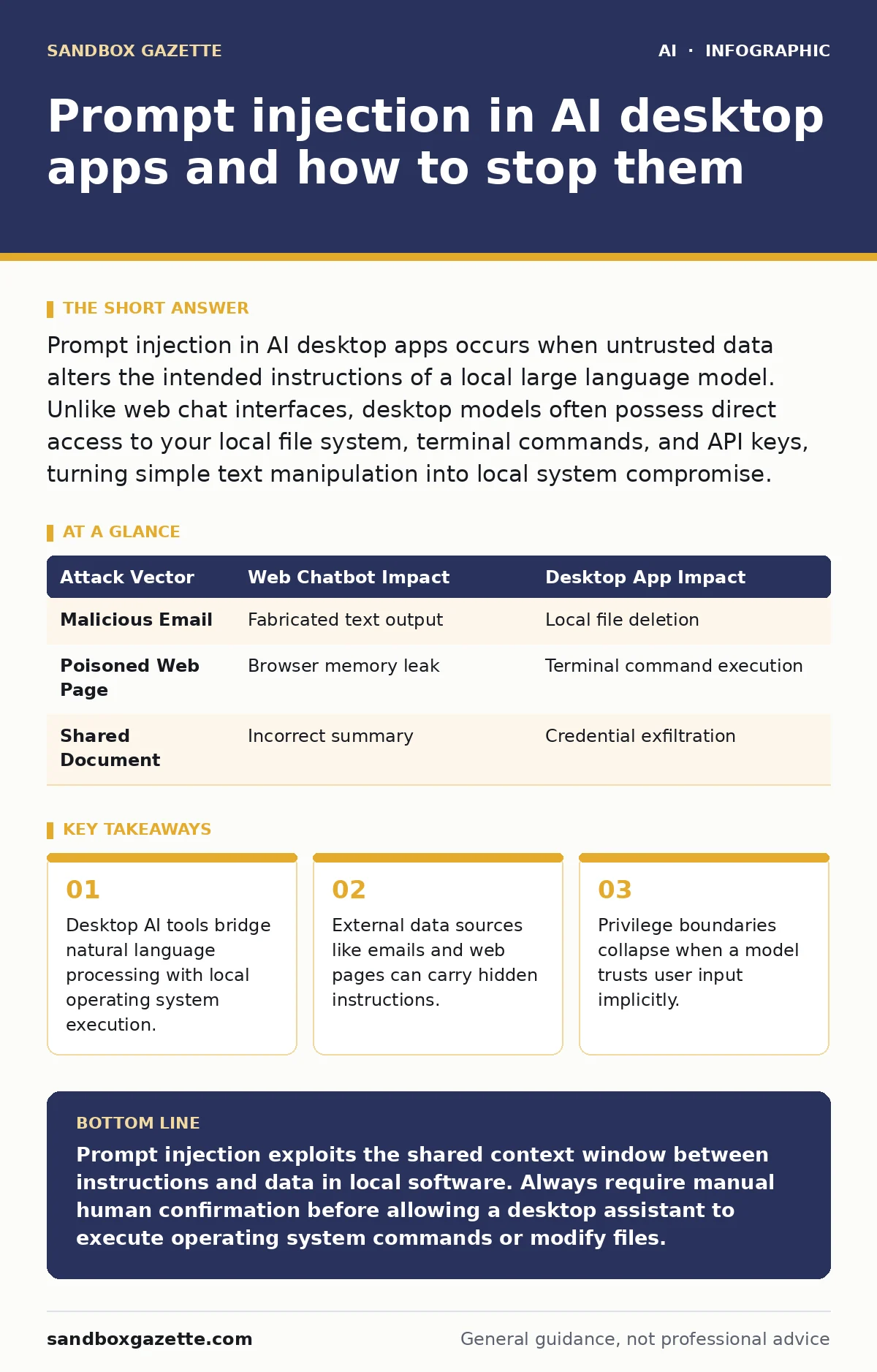
Prompt injection in AI desktop apps occurs when untrusted data alters the intended instructions of a local large language model. Unlike web chat interfaces, desktop models often possess direct access to your local file system, terminal commands, and API keys, turning simple text manipulation into local system compromise.
What is prompt injection in AI desktop apps?
Prompt injection in AI desktop apps is a vulnerability where malicious instructions embedded in input data override the original system prompt. Local desktop assistants frequently ingest text from open documents, clipboard contents, and incoming messages alongside your direct queries. Malicious actors hide overriding commands inside these routine data sources. When the model processes the combined text, it treats the hidden text as a legitimate command, executing unintended actions on your workstation.
How does local execution change the threat model?
Local execution changes the threat model by granting the artificial intelligence model direct access to your operating system privileges. Web-based chatbots exist in a sandboxed browser environment with limited ability to interact with your physical machine. Desktop applications run natively, possessing the ability to read private documents, execute shell scripts, and modify system settings. An injected instruction that merely outputs funny text in a browser can read your SSH keys or delete directories on a desktop client.
| Attack Vector | Web Chatbot Impact | Desktop App Impact |
|---|---|---|
| Malicious Email | Fabricated text output | Local file deletion |
| Poisoned Web Page | Browser memory leak | Terminal command execution |
| Shared Document | Incorrect summary | Credential exfiltration |
Why do developers struggle to separate instructions from data?
Developers struggle to separate instructions from data because large language models process all incoming tokens within a single continuous context window. Natural language lacks a native boundary between the administrative instructions set by the developer and the variable content provided by the user. When data arrives from external sources, the model evaluates it with the same computational weight as the system prompt. This architectural limitation makes it difficult for the software to recognize when a data payload attempts to change the rules of engagement.
Can malicious text hide inside normal files?
Malicious text hides inside normal files by exploiting formatting features, hidden metadata fields, and white-text styling within documents. Imagine opening a routine PDF invoice or a spreadsheet containing invisible instructions crafted to exploit your local assistant. The desktop application parses the entire file contents to summarize the text, inadvertently ingesting the hidden payload. Once the model reads the injected instructions, it begins executing tasks authorized by your user profile.
What happens when an assistant reads an infected clipboard?
Infected clipboard contents cause immediate prompt injection because desktop applications often monitor system copy buffers for instant context. You might copy a harmless error message from a web forum to ask your assistant for a troubleshooting fix. If that forum post contains hidden text designed to hijack your session, the clipboard transfer delivers the payload straight to the model. The assistant immediately stops troubleshooting and follows the hidden command to scan your local drive for sensitive data leaks through AI chatbots.
See also: Secure AI Plugins and Agents: Prevention Checklist for Ops · Stop Sensitive Data Leaks Through AI Chatbots: Technical Controls
How do tool-use capabilities amplify the danger?
Tool-use capabilities amplify the danger by giving language models the ability to invoke functions, run scripts, and make network requests autonomously. Modern desktop assistants do not just generate text; they possess application programming interface tools to interact with local software. An injection attack exploits these capabilities by tricking the model into invoking system tools with malicious parameters. Instead of asking you for confirmation, a compromised assistant might silently execute destructive terminal commands in the background.
Can system prompts protect your machine?
System prompts fail to protect your machine because natural language instructions lack cryptographic authority over the underlying neural network weights. Developers use initial system prompts to instruct the model to ignore malicious commands or refuse dangerous requests. However, a well-constructed injection payload easily persuades the model to disregard its initial instructions through roleplay or simulated error states. This behavioral malleability means prompt boundaries dissolve under clever linguistic pressure.
How do you mitigate injection risks in local environments?
Mitigating injection risks in local environments requires strict privilege separation between the artificial intelligence process and your core operating system files. You must restrict local models to read-only access within dedicated directories, preventing them from modifying system configurations or executing shell commands. Implement human confirmation gates before the application performs any write operation, file deletion, or network transmission. Furthermore, maintain strict access controls for AI agents to ensure that even a compromised model cannot reach critical system utilities.
Key takeaways
- Desktop AI tools bridge natural language processing with local operating system execution.
- External data sources like emails and web pages can carry hidden instructions.
- Privilege boundaries collapse when a model trusts user input implicitly.
Prompt injection exploits the shared context window between instructions and data in local software. Always require manual human confirmation before allowing a desktop assistant to execute operating system commands or modify files.
Frequently asked questions
Can antivirus software detect prompt injection attacks?
Traditional antivirus software struggles to detect prompt injection because the attack vector consists of natural language text rather than executable binary code. Security tools look for known malware signatures, whereas prompt injection exploits the semantic interpretation of instructions by a language model.
Do local open-source models suffer from prompt injection as much as commercial ones?
Local open-source models suffer from prompt injection just as much as commercial models because the vulnerability stems from the fundamental architecture of large language models. No current model architecture possesses a reliable mechanism to inherently separate untrusted data from trusted instructions.
Does running an AI model inside a virtual machine stop prompt injection?
Running an AI model inside a virtual machine limits the blast radius of an injection attack to the isolated guest operating system. While the model can still be tricked into executing malicious commands, it cannot access your main host machine or primary file system.
How does retrieval-augmented generation interact with prompt injection?
Retrieval-augmented generation allows external search results and retrieved documents to enter the model context window alongside user prompts. This mechanism creates additional pathways for malicious actors to inject instructions via poisoned documents stored in knowledge bases.
How this guide was produced: written by the Sandbox Gazette editorial team with AI assistance, checked against the public references listed below, and reviewed when the facts change. See our editorial policy or report an error.